How Restaurants Take Bookings and Feedback in WhatsApp
September 17 • 18 minutes

Restaurants strive to attract new guests by using online advertising and social media platforms. They spend a lot of resources acquiring new clients while forgetting what actually matters. When people are ready to book a table, the process should be seamless to prevent guests from leaving. Often, people are sent to a separate website form, which takes a lot of time and creates friction. They have to load another page, fill in multiple fields, or even create an account. With every additional step, guests feel less eager to book.
To prevent that from happening, there’s no need to use an extra form. Everything can be done right in a WhatsApp chat. Restaurants can collect reservations, provide the necessary information, and gather feedback right through a communication channel like WhatsApp. Specialized automation platforms enable operations without human interaction, even outside working hours.
With WhatsApp flows, restaurant owners no longer need to worry about confirmations, reminders, reservations, and post-visit feedback. It can be done on autopilot. They just need to set everything up once. When connected to Poster POS, all interactions are saved in a unified guest profile, providing your team members with all the information they need. It’s convenient and prevents business owners from having multiple platforms for different tasks.
This guide is designed to unveil how restaurant owners can benefit from WhatsApp automation. It will uncover WhatsApp flows and how reservation and feedback collection work in WhatsApp.
Key takeaways
- WhatsApp Flows open native booking forms inside the chat, so guests never leave the messenger to reserve a table.
- A reservation runs in five steps — from the guest’s first message to the booking landing in your POS.
- The same flow keeps working after the visit and collects ratings, comments and guest tags.
- SendPulse, Eat App, WhatsForm, QuickReply.ai and WhatZCRM cover booking, feedback and POS sync differently — pick by your goal and budget.
- Set the flow up once, connect it through API or webhooks, and always test it before guests see it.
The Technology Behind It: WhatsApp Flows
If you want to optimize your system and communicate with guests on WhatsApp, you can do so with a special platform that lets you create WhatsApp flows. Introduced as part of the WhatsApp Business Platform, WhatsApp flows let you build interactive forms that open directly in a WhatsApp chat. You no longer need to redirect customers to a browser because flows let you display native interfaces. They usually include the following elements: time selectors, date pickers, text fields, confirmation screens, dropdown menus, etc. Users don’t need to leave messenger, which is very convenient and simple.
WhatsApp flows are very helpful for restaurant owners because guests can reserve a table in the chat where they first contacted the restaurant. People don’t have to switch apps, log in with their password, or reload a web page.
The most important thing is that WhatsApp flows operate officially because they are part of Meta’s WhatsApp Business Platform (Business API). Flows are created for businesses striving to put customer interactions on autopilot while ensuring a smooth customer experience.
You can come across dozens of automation platforms with visual builders that let you create booking forms for your restaurant without having to code. You can simply drag and drop the necessary elements, configure validation rules, and connect data to external platforms such as CRM, reservation software, or point-of-sale systems.
How a reservation actually flows through WhatsApp, step by step
To create the right flow on WhatsApp for your business, you first need to understand how everything works. Below you’ll find a short, step-by-step guide to what it looks like in real life.
Step 1. The guest starts the conversation
After finding your restaurant on Google Maps, Instagram, TikTok, or your website, potential customers tap the «book a table» or «message on WhatsApp» button. They prefer to simply text your business rather than call or fill in a lengthy online form. A message usually looks something like this: «Do you have a table for 2 for tonight?»
Step 2. Guest receives automated greeting
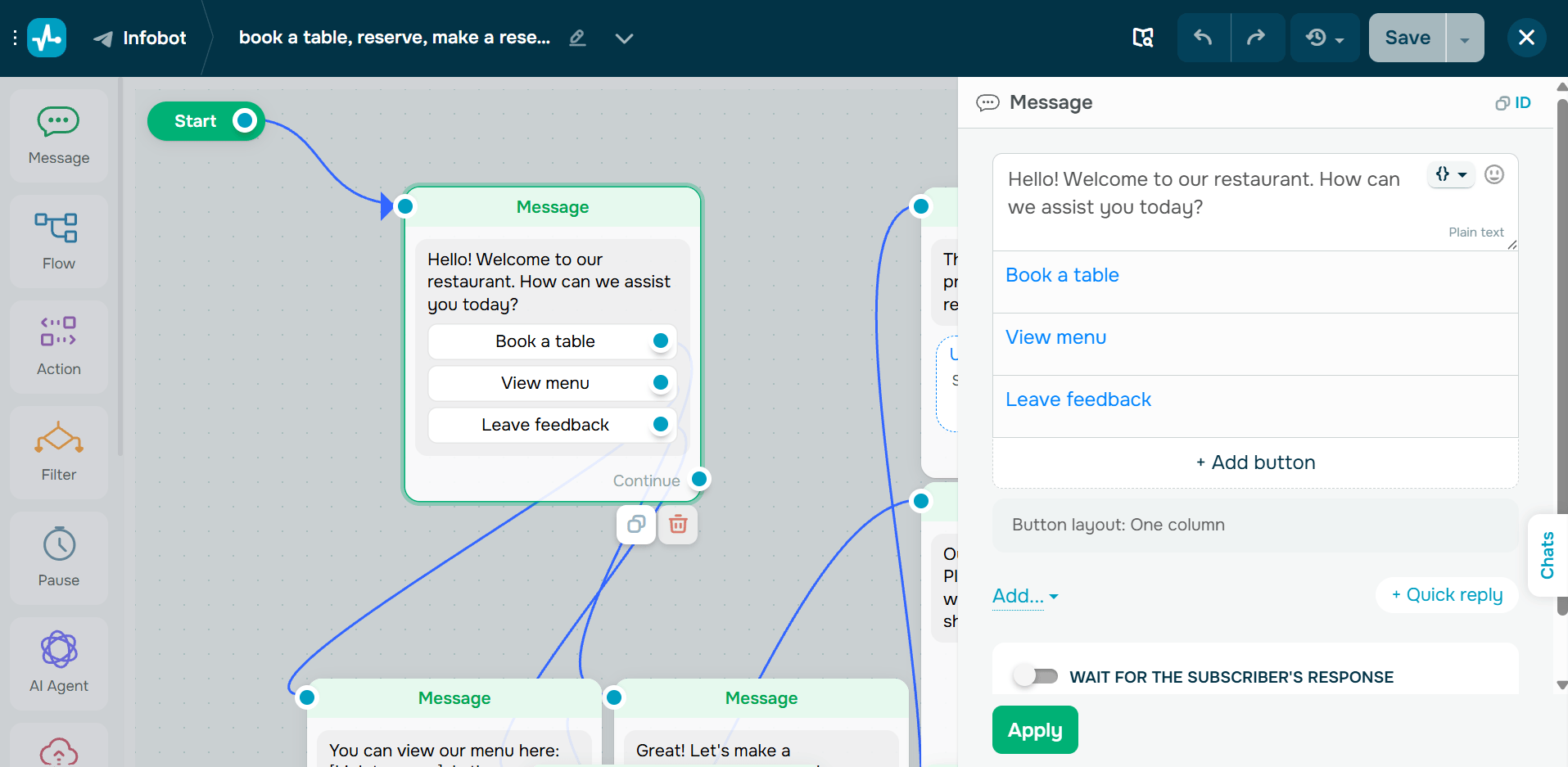
When you have automation, there’s no need for guests to wait for human agents to respond. The bot instantly responds with a greeting message and quick-reply buttons. They are necessary for customers to take the right action instantly: book a table, view a menu, leave feedback, talk to the restaurant’s team, or check the opening hours. In this case, customers choose the «book a table» button.
Below, you can see an example of a greeting message, menu, and quick buttons for users’ convenience.
Step 3. WhatsApp Flow opens
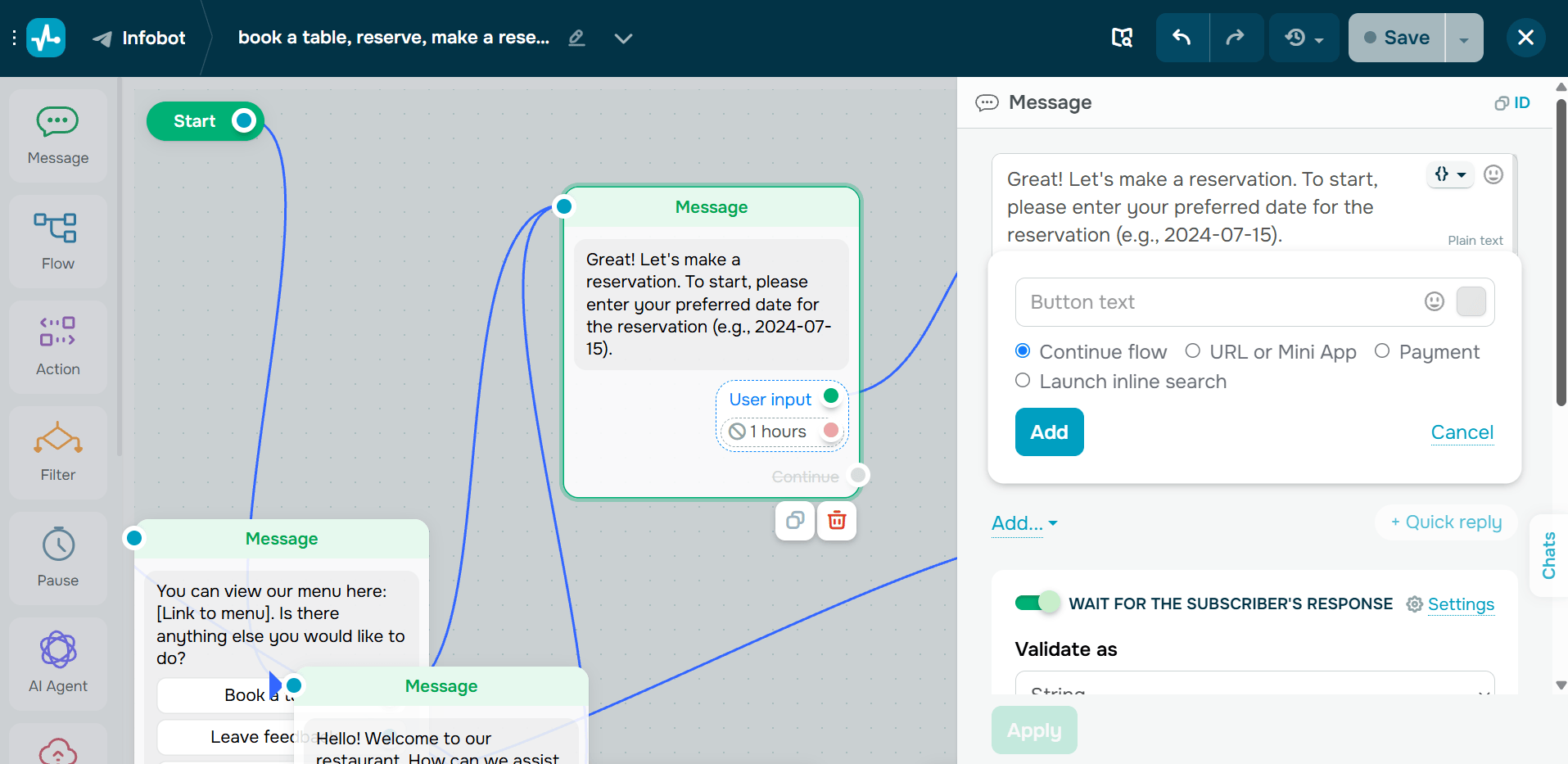
Once guests make a choice, the required Flow appears instantly inside the chat. The bot invites guests to complete a structured form. It prevents the chatbot from asking too many questions one by one. The form usually asks for the following information required for the reservation: preferred date, time, number of guests, name, and phone number. It also lets people leave special notes in case someone has a birthday, an allergy, or a seat preference. In this case, the process is more like a native mobile app than a conversation with a chatbot.
Below is a message encouraging people to choose a convenient day and time for the reservation.
Step 4. Confirmation happens automatically
After submitting the form, if everything is fine, guests instantly get their confirmation message. Usually it sounds like this: «Thanks! Your table for two is reserved for Thursday at 8:00 PM. Look forward to seeing you.» To reduce no-shows, you can also set up your bot to deliver reminders. You can schedule such reminders a couple of hours before the reservation.
You can create a reminder message sent to clients prior to their reservation.
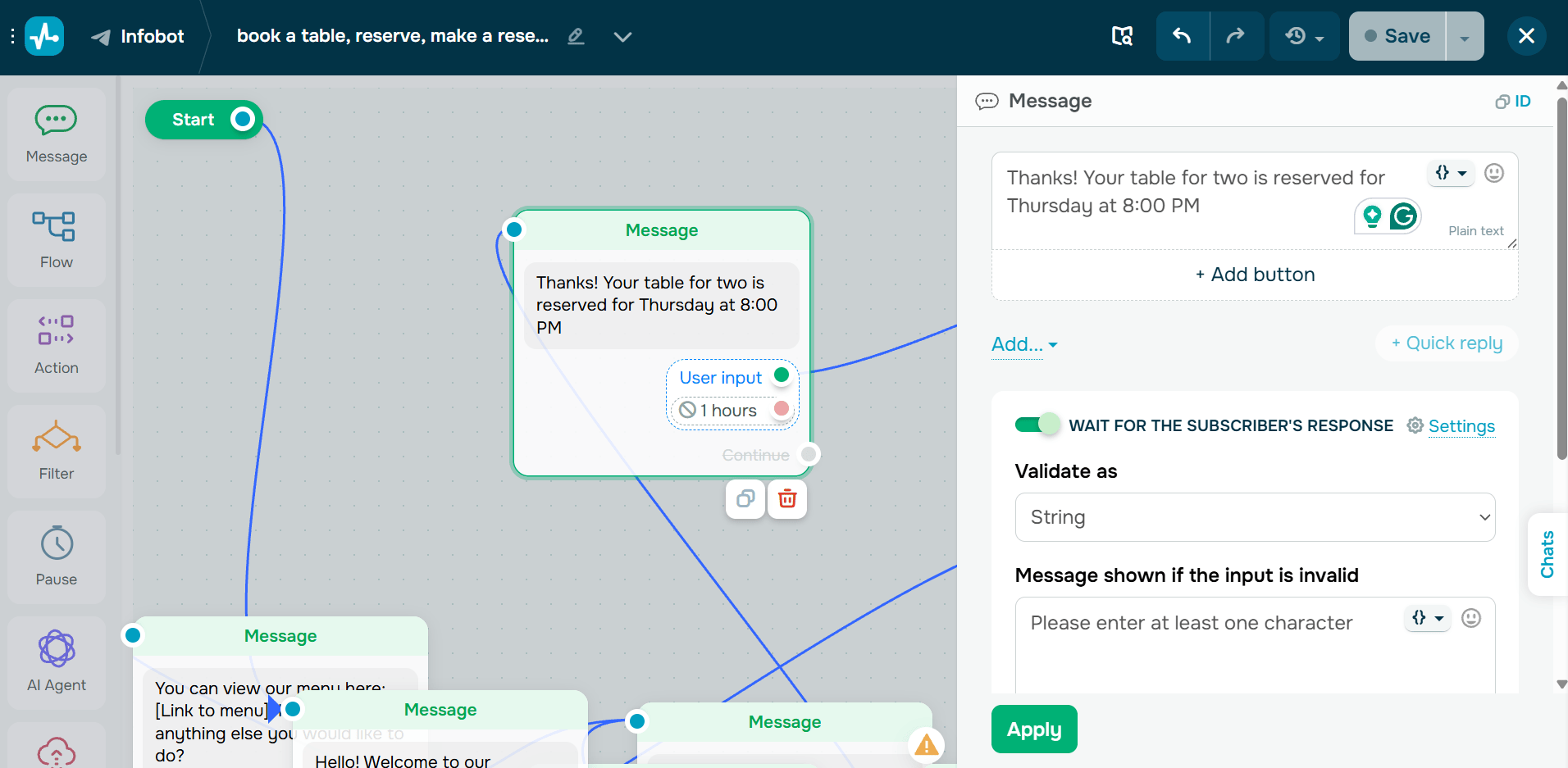
Step 5. Reservation data reaches the point of sale (POS)
Special tools enable you to significantly improve efficiency. You no longer need someone to simply copy and paste information from WhatsApp into a spreadsheet or a booking system. Your bookings will automatically sync into Poster. The platform allows your waiters, bartenders, baristas, and cashiers to take orders faster, customize dishes, accept all types of payment, and many more. This way, they’ll be able to make all arrangements before clients arrive. Bookings that land straight in the system also help you plan seatings and keep your table turnover rate under control. With a dedicated operational system, all reservation details, guest information, and future visits are in one place. As a result, you get fewer manual tasks, fewer booking mistakes, and a better customer experience.
How feedback collection works the same way
Automation works not only for reservations but also for other purposes. The goal of the flow depends on your goals. You can continue using the same WhatsApp Flow to collect customer feedback and make positive changes to your business accordingly.
The same WhatsApp conversation can continue until you reach your primary purpose. Automation allows you to ask guests how they liked your service after they visit your restaurant, making the interaction feel natural and non-intrusive. Once a reservation is marked as completed, your restaurant can deliver an automated message like «Thanks for visiting us. Please rate your experience with our restaurant.»
There’s no need to direct customers to another website. Simply create a flow that includes star ratings, multiple-choice questions, a short comment field, or anything else you feel is appropriate for your case. When clients don’t have to go to another website, and the effort is minimal, the probability of them leaving feedback increases. A private chat is also a safer place for complaints than a public page — the guest tells you first, and you still get a chance to handle a negative review before it goes online.
With automation, you can group your guests based on tags like birthday customer, service complaint, vegetarian, food allergy, VIP guest, etc. These tags help provide a better experience in future interactions. When connected to restaurant POS system, this information — customer profiles, previous orders, and reservation history — can be stored in one place and used as needed. Knowing this information enables you to provide a more personalized experience in the future and boost satisfaction with your restaurant. You should not only collect feedback but also use it effectively to scale your business. Ratings and comments collected in chat show exactly which parts of the visit to fix, and that is where customer satisfaction really grows.
Tools that Offer This Today
There are many different tools that can help you automate your reservation and feedback collection processes. They all vary based on features, budget, business goals, etc. Some services specialize solely in hospitality, while others offer the WhatsApp Business Platform with broader abilities. The best way to find the right solution is by identifying your primary purposes. In this section, we’ll review different tools that can help you in one way or another. Your task is to identify your perfect fit.
| Tool | Booking via WhatsApp | Feedback via WhatsApp | POS/CRM Sync | No-Code Flow Builder |
|---|---|---|---|---|
| SendPulse | + | + | + | + |
| Eat App | + | Limited | + | Limited |
| WhatsForm | + | + | Via integrations | + |
| QuickReply.ai | + | + | + | + |
| WhatZCRM | + | + | + | + |
SendPulse
SendPulse is a chatbot platform that enables you to create WhatsApp flows without special knowledge or skills. It offers a visual builder that helps you build your reservation and feedback flows fast without coding. With its help, you can seamlessly design reservation journeys, automate booking confirmations, schedule reminders, and collect feedback—all within a single service. Besides, it is an official WhatsApp Business API provider and is powered by AI, meaning that all your conversations with customers are secure, special features are accessible, and interactions feel more human.
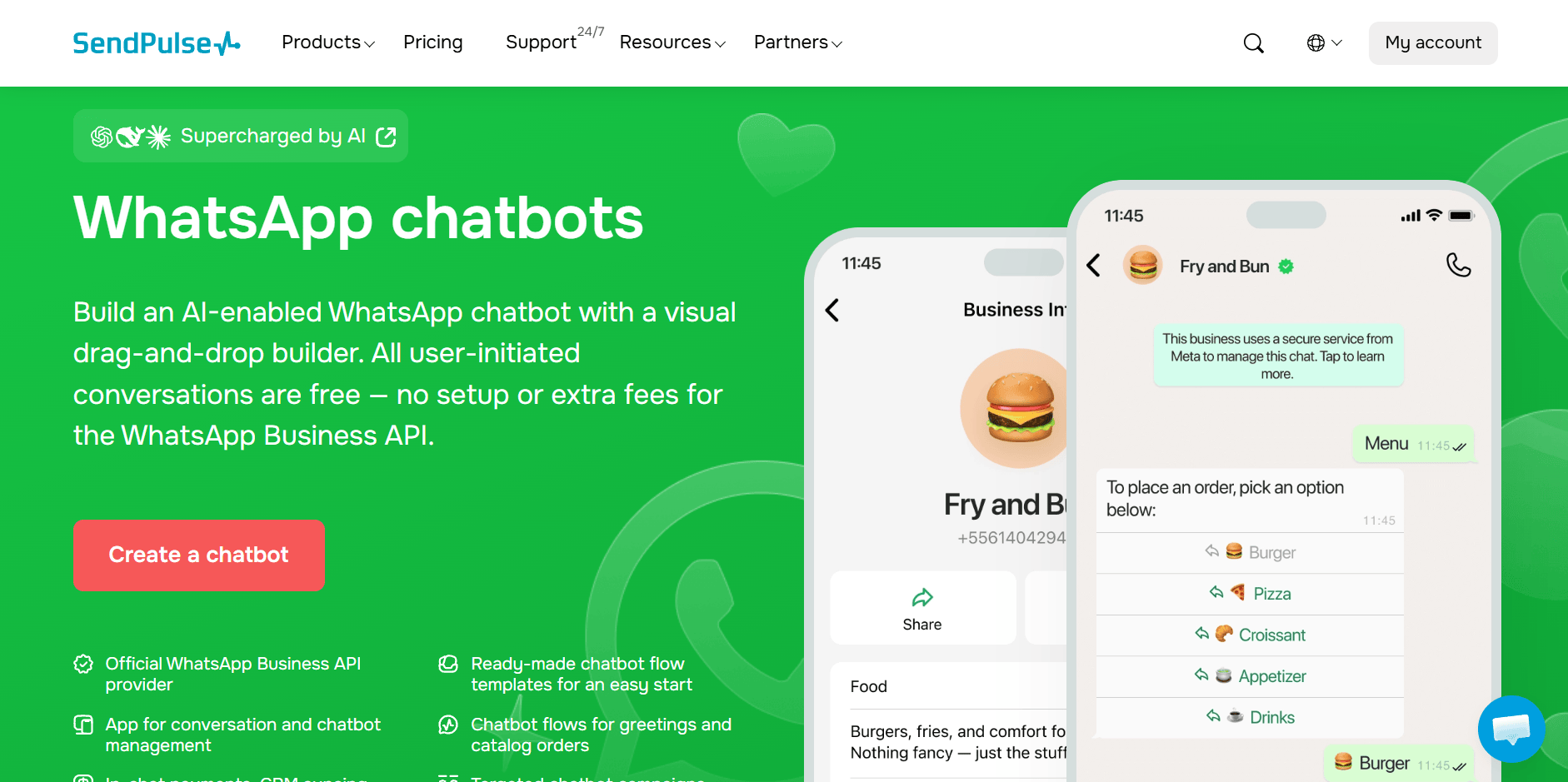
The service allows you to create WhatsApp forms, a website subscription widget, an automatically generated bio link page, or a QR code linked to your welcome flow leading to the reservation process. The bot can also accept payments and sync with its CRM system, so that information is stored within the platform and you can use it anytime. It will help you provide a more personalized experience.
Official pricing:
- free plan: 3 chatbots, 500 subscribers, 10,000 messages, 10 variables, 10 chatbot triggers, and unlimited flows;
- paid plans: start at $9.60/month (paid annually) for 500 subscribers, unlimited chatbots and live chats, advanced features, unlimited messages, triggers, flows, and variables, contact tags, teamwork tools, and payment acceptance.
For more information on other paid plans, visit the platform’s official pricing page.
Eat App
Eat App is restaurant and hotel reservation software that helps you manage various tasks related to your business. It helps you manage your bookings, marketing, reviews, payments, and many more in one place. The software suits hospitality brands of different sizes. This includes restaurants, hotels, F&B groups, bars, wineries, communities, etc.
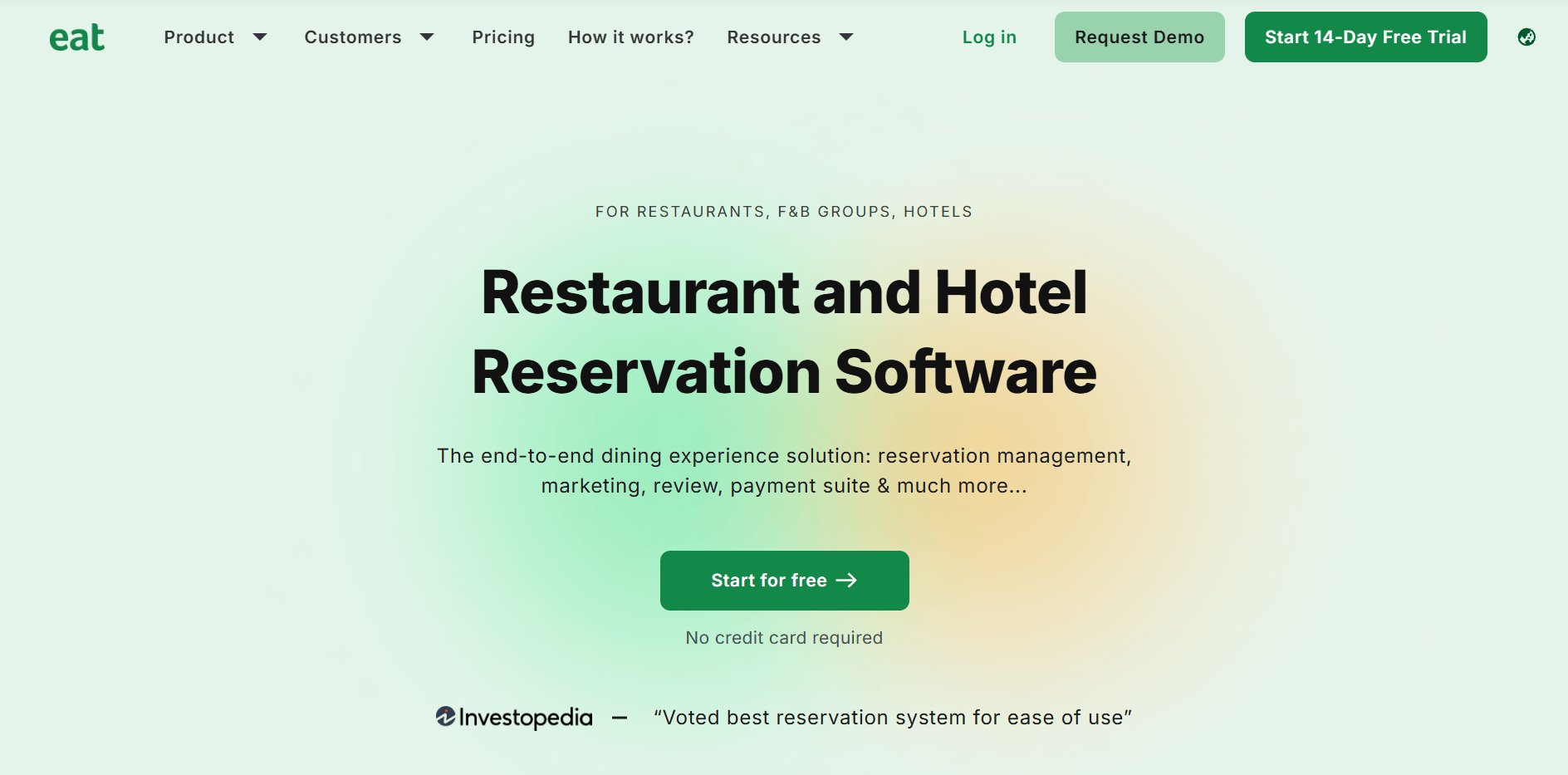
With the platform, you can accept online bookings from your website, Google, and Instagram. All the reservations are direct, so you won’t have additional expenses. Eat App lets you manage all your bookings, walk-ins, and calls in one place, making it convenient and secure. If you want to reduce no-shows, the service lets you work on a pre-payment basis. The system can accept deposits and pre-paid bookings. After the reservations, you can send confirmation messages and also remind them about the booking hours before the visit. With Eat App, you can also automatically create a guest database. The platform allows you to filter loyal guests and run effective marketing campaigns.
Official pricing:
- free plan: 100 covers, chat inbox, custom forms and surveys, but no WhatsApp conversations available;
- paid plans: start from $69/month (paid annually) for 300 covers, chat inbox, 100 WhatsApp conversations, WhatsApp marketing suite, QR and online wait list, customizable widget, and more.
If you are interested in exploring more plans, consider visiting Eat App’s official pricing page.
WhatsForm
WhatsForm is a service that helps you create forms without coding skills and receive information directly from customers’ WhatsApp numbers. With this platform, you’ll be able to increase orders, receive more reservations, and seamlessly communicate with clients. The process of creating and using a form is simple. You build the form and share it with your guests; they fill in the necessary information, and you receive these reservations on your WhatsApp. As a result, you get a better response rate, collect customer information on autopilot, and get real customers’ phone numbers.
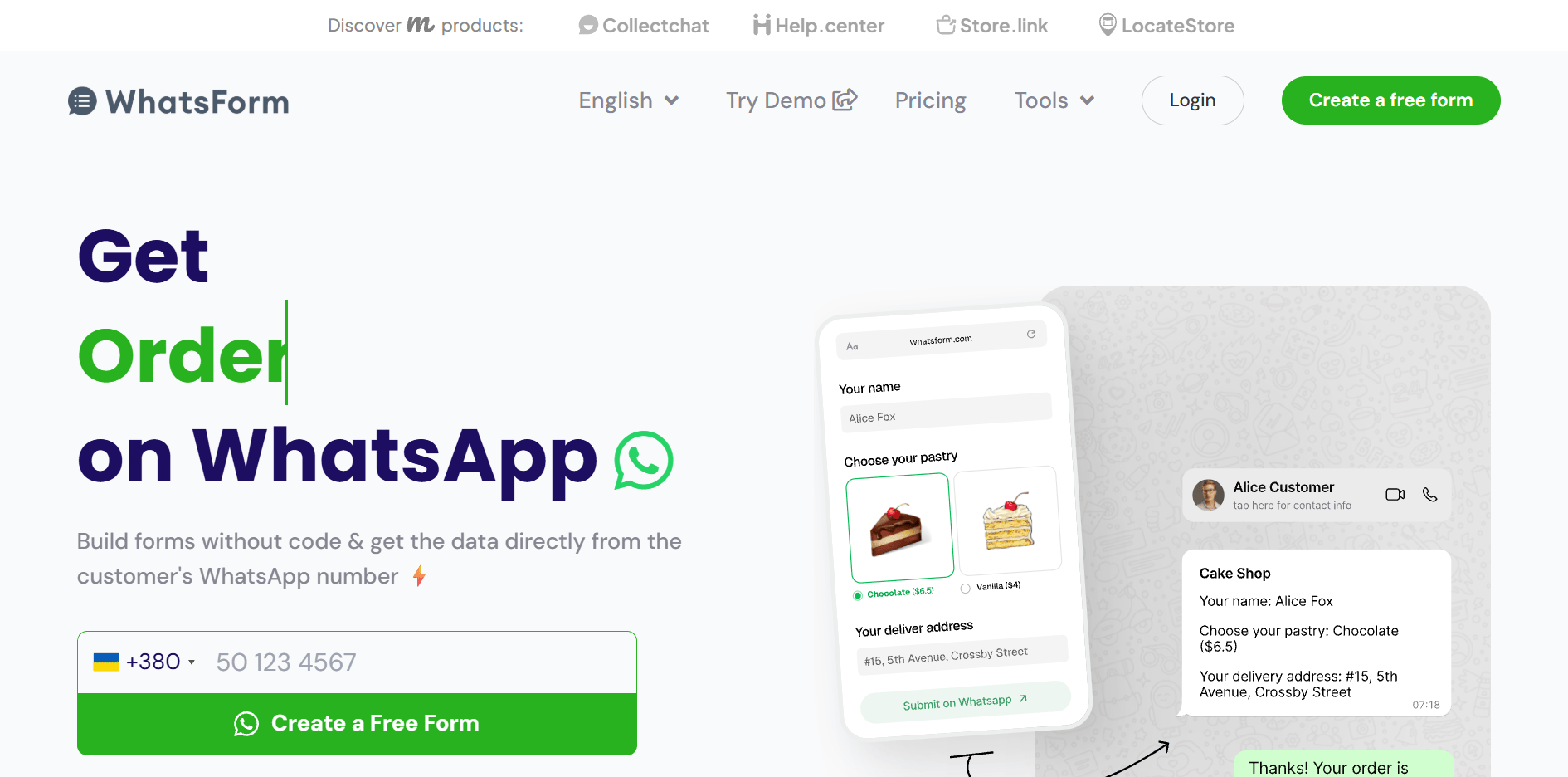
WhatsForm is supported by AI, meaning that you can simply describe what you want, and AI will create the needed form in seconds. It will significantly save your time. The platform’s forms are available in different languages. So you can create forms to connect with interactional audiences. The platform also offers pre-designed templates. You can customize them in minutes and start collecting reservations and customer feedback.
Official pricing:
- free plan: 100 responses via WhatsApp and 2 forms;
- paid plans: start from $9/month (billed annually) for 1,000 responses via WhatsApp, 10 forms, 1 workspace, responses in dashboard, and custom SEO metadata.
The WhatsForm offers more paid plans with broader capabilities; you can explore them on the service’s official pricing page.
QuickReply.ai
QuickReply.ai is a platform that lets businesses automate customer communication across social media networks and messengers, including WhatsApp. With its help, you can guide customers from the first contact to repeat reservations in your restaurant. This service lets you run campaigns, reminders, journeys, replies, and support on autopilot. QuickReply.ai lets you start communication through forms, QR codes, websites, and campaigns to understand intent, then share a special form if they want to reserve a table.
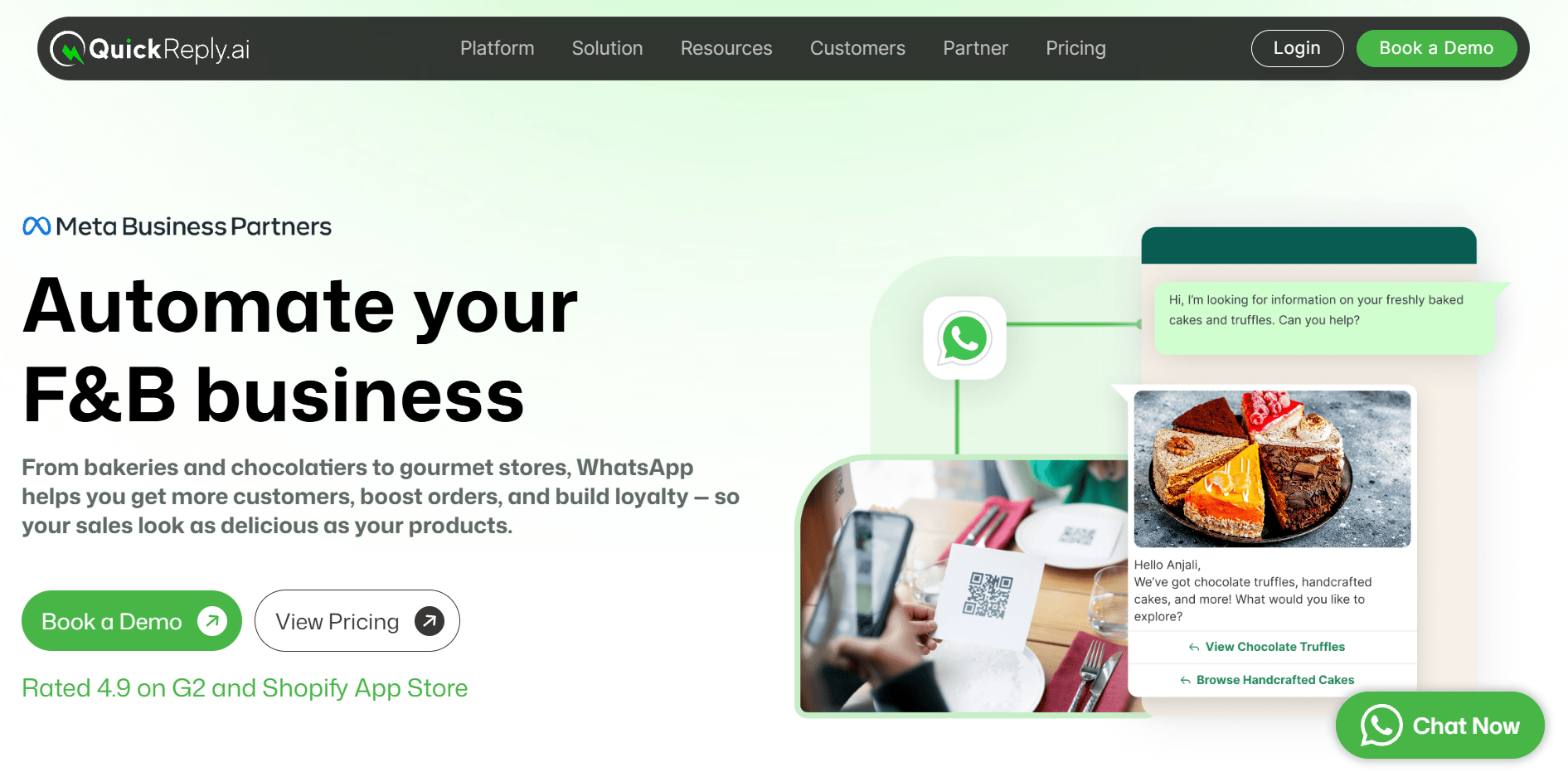
While using the service, you can not only share reservation forms but also send confirmation messages to guests. This way, you’ll let them know that a table is available for the requested time and prevent no-shows. The platform also allows you to send promotional messages informing them about special offers and discounts in your restaurants. You just need to set up these WhatsApp messages once, and they will be automatically delivered to the clients on your list. You can share dynamic discounts based on special occasions and customer history.
Official pricing:
- free plan: a demo available;
- paid plans: start at $39/month (paid annually) for the WhatsApp website widget, welcome/exit popups, order alerts, cart checkout abandonment, and the blue tick application.
For more paid plans, you can visit the platform’s official pricing page.
WhatZCRM
WhatZCRM is a good solution for restaurants, cafes, and cloud kitchens to increase reservations and boost customer loyalty. This no-code WhatsApp CRM enables you to automate reservations, online ordering, customer feedback, loyalty promotions, and delivery updates right inside WhatsApp chat. The platform helps you manage many tasks related to your restaurant business. These include bookings, dine-in inquiries, orders, loyalty campaigns, etc. You can create automated workflows without any coding knowledge and take your customer communication to the next level.
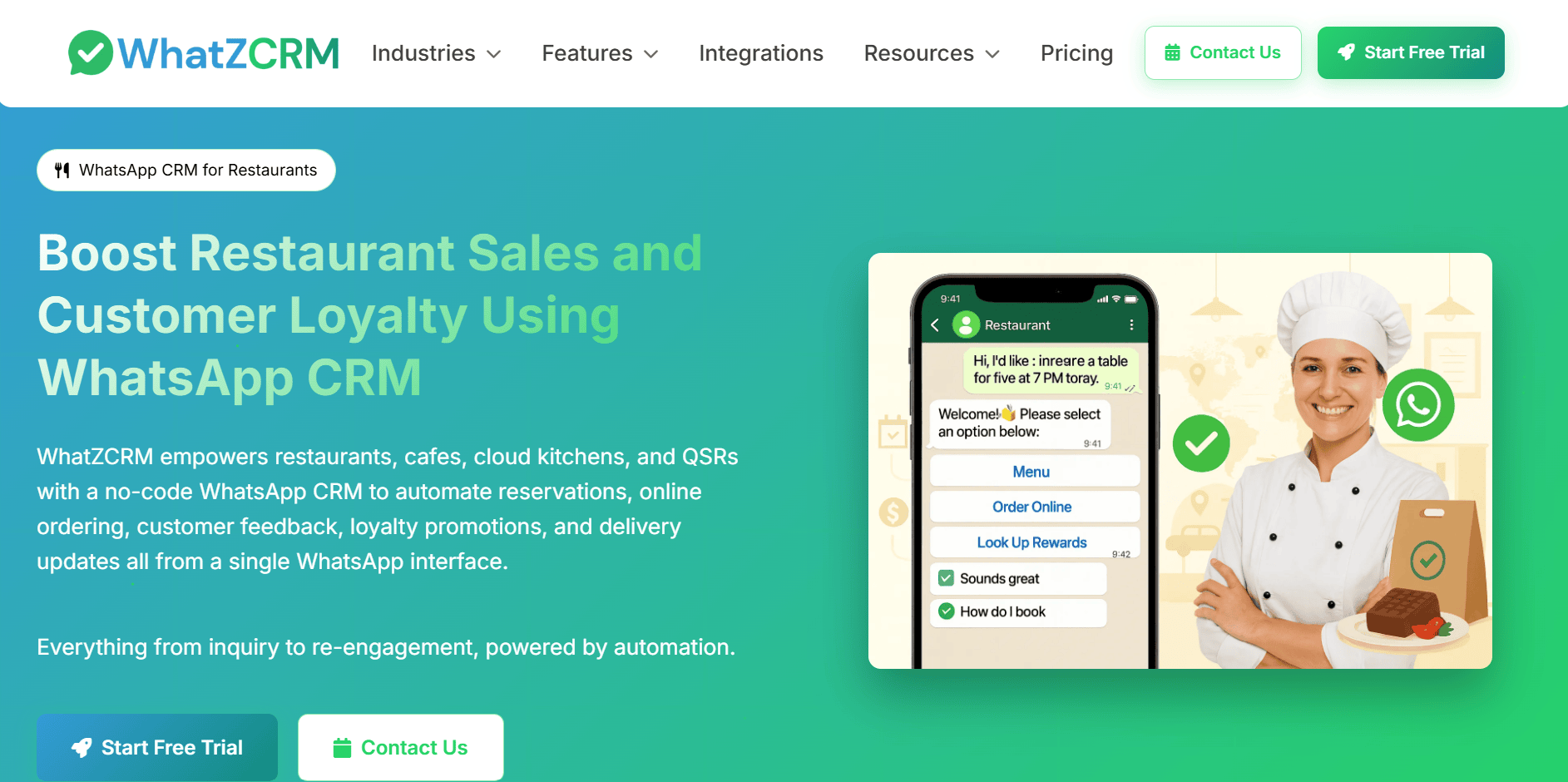
Whether you have a small cafe or a multi-location chain, you can share reservation forms, track orders, send menus, and collect feedback using a single platform. WhatZCRM keeps all the information in one place, making it easy for your team members to handle orders, tables, reviews, and more. As a result, you get higher productivity, better efficiency, a seamless experience, and happy customers.
Official pricing:
- free plan: 7-day free trial;
- paid plans: start from $12/month (paid annually) for 1 WhatsApp number, shared team inbox, live chat, broadcast campaigns, WhatsApp catalog, WhatsApp auto-reply, 3 basic flow builders, basic automation rules, and more.
For more information about paid plans, you can visit the service’s pricing page.
All these platforms help you with automation and guest communication, while you still need an operational system. It becomes the source of information for reservations, guest profiles, sales data, and table management. When WhatsApp automation handles customer interactions, Poster ensures that all restaurant operations stay connected.
Setting It Up — a Practical Walkthrough
You don’t have a special app to set up the WhatsApp reservation system. The process is simpler than you expect. You just need to choose a proper platform. In this section, we’ll provide you with a step-by-step guide on setting up your first WhatsApp Flow using SendPulse. The platform offers a visual builder, enabling you to build a flow without knowledge of code.
1. Create a WhatsApp Business Platform account
The first thing you should do is register with the WhatsApp Business Platform through Meta or an approved Business Solution Provider. After this, you’ll be able to create WhatsApp Flows and access the automation capabilities necessary for businesses.
2. Design your reservation and feedback flows
Use the visual builder to design your reservation and feedback flows. Ensure that they include only information you really need. This way, you’ll prevent overwhelming guests with too many questions and fields in your forms. It also helps you avoid drop-off.
3. Connect your restaurant system
Consider using API integrations or webhooks so that all the reservations instantly reach the operational system on autopilot. With the service, you’ll have all the information at hand without having to handle it manually. Reservation records, customer profiles, and table maps are available to your team members.
4. Build automated triggers
Create triggers and set up automation to properly interact with clients. These triggers might include booking confirmations, welcome messages, pre-arrival reminders, thank-you messages, and post-visit feedback requests. When using the service, you can also schedule follow-up campaigns and trigger messages based on reservation status.
5. Don’t forget to test
Once everything is ready, you need to test the flow before making it available to guests. This way you’ll ensure that it works as expected. You’ll also be able to catch and remove errors before they become visible to your audience and negatively affect the customer experience. There are a few points you should pay close attention to: whether the Flow opens correctly, whether confirmation messages reach recipients, whether reservation information is accurate, whether data appears correctly, and whether feedback requests appear after guests visit your restaurant.
Conclusion
Modern reservation forms still exist, but in a better, more convenient form. Since people use messengers for everyday communication, it seems obvious that restaurants should let guests make reservations and leave feedback directly in a WhatsApp chat. This seems like the best solution for reducing the friction that arises when businesses redirect their guests to a web browser. Besides, response rates and customer satisfaction improve. However, to set up such automation correctly, you need to choose the right marketing automation platform.
With all the necessary tools at hand, you can turn your conversations into real reservations. With these two services, your booking data becomes structured, guest history is always available, and actionable insights improve the experience. As a result, your team spends less time on routine tasks while customer satisfaction improves.
Frequently Asked Questions
Yes. WhatsApp Flows can totally replace traditional booking forms and accept reservations directly in WhatsApp chat. Hence, clients don’t have to open a separate web page and spend additional time booking a table.
A traditional booking widget brings guests to a browser page or an embedded reservation portal. With WhatsApp Flows, guests stay in the chat and make all their reservations without leaving the app. It makes the experience simpler and smoother, reducing any potential friction.
No. Most WhatsApp automation services don’t require any coding skills. A visual no-code builder lets you design your reservation and feedback flow based on your requirements by simply dragging and dropping the needed elements into the editor’s field.
Yes. With API and webhooks, your reservation and customer information can sync with operational platforms, enabling your team to manage bookings, guest profiles, and table assignments from a single system.
No. Automation is relevant for restaurants and cafes of all sizes. It helps communicate properly with guests, never miss an opportunity, and improve efficiency. Besides, there are dozens of platforms available, so restaurants of all sizes can find something that matches their budget and primary purpose. Whether you have 10 tables or run a chain, it’s always relevant to instantly help clients with reservations, provide the necessary information, and collect feedback for future optimization.