Poster Updates
Stay up to date with everything new:
- In the management console and at the POS
- In Postie AI Assistant
- Poster QR, Poster Site, and all other Poster products
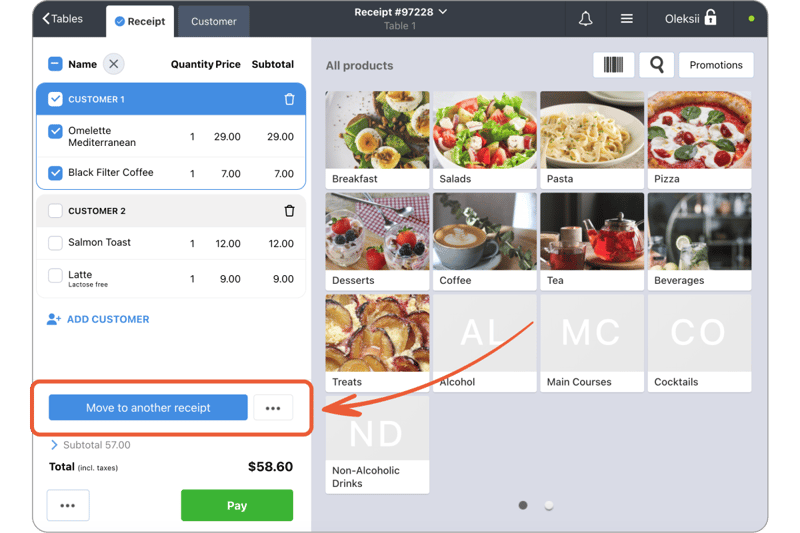
🍽 Move items from one order to another
Guests switched tables, decided to merge their orders, or a few dishes need to go on a separate check? Open the order, select one or several items and move them to another open order — or create a new one.
Poster keeps the way items are split between guests, and tickets that have already been printed won’t be sent to the kitchen again. If needed, you can restrict item transfers with an administrator password in Settings → Security.
05.10.2026
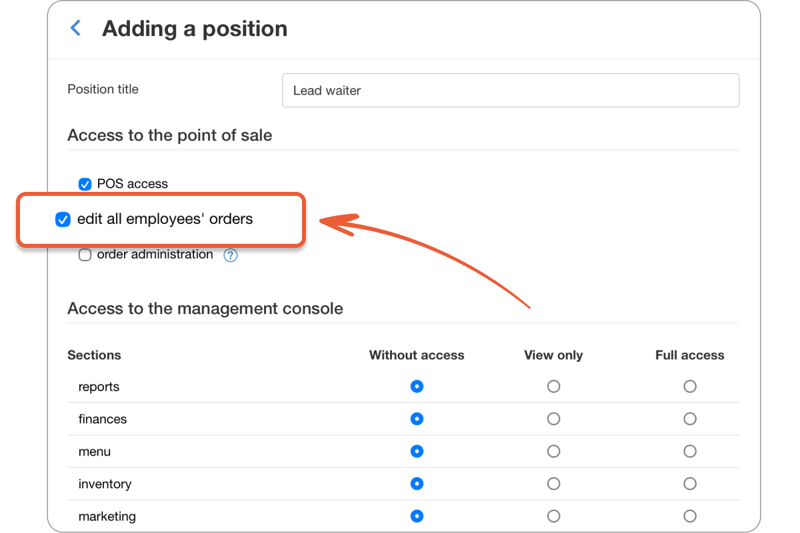
👥 Let employees edit each other’s orders without full admin rights
Until now, to let an employee edit their colleagues’ orders on the POS, you had to grant them floor admin rights. Along with those came the ability to perform actions protected by the admin password without entering it.
Now there’s a separate setting for this. A head waiter, for example, can fix a colleague’s order while all other admin restrictions stay in place.
To enable it, go to Access → Positions in the management console, select the position and check Edit all employees’ orders.
07.09.2026
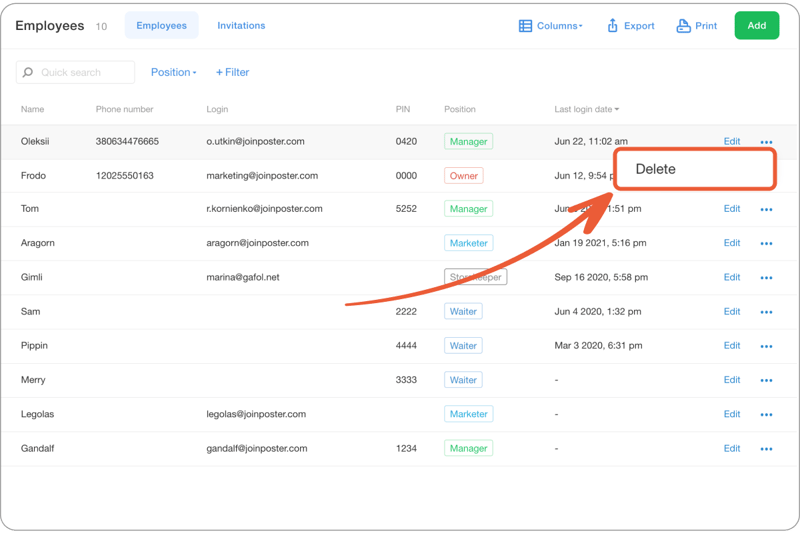
🗑 Delete your own account
Previously, only the account owner could delete an employee’s account. Now any employee with the Access section open can delete their own account themselves.
Open Access → Employees, find yourself in the list, click ••• next to your name, and select Delete.
If the account has only one owner, they can’t delete themselves — you’ll need to transfer the account to a new owner first.
22.06.2026
🎨 Refreshing the look of the management console
We’re updating the technology the management console runs on under the hood and improving how it looks. All pages will get the update gradually.
The improvements you’ll notice most in daily use:
- The new design is fully adapted for working from your phone.
- Dark mode support.
- Form export in Excel format.
09.06.2026
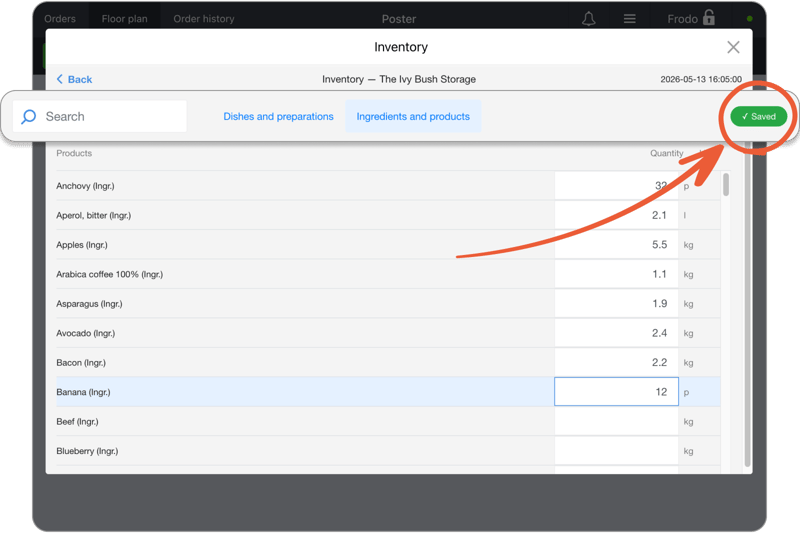
📦 Auto-save for inventory during inventory checks on the POS
Previously, inventory check results were saved only after tapping Save. Now the logic is the same as in the management console: as soon as you change an item’s actual stock, Poster saves it instantly.
You can safely leave the inventory check, take an order and come back later, or hand the recount over to another employee — the numbers you’ve entered will stay in place.
20.05.2026
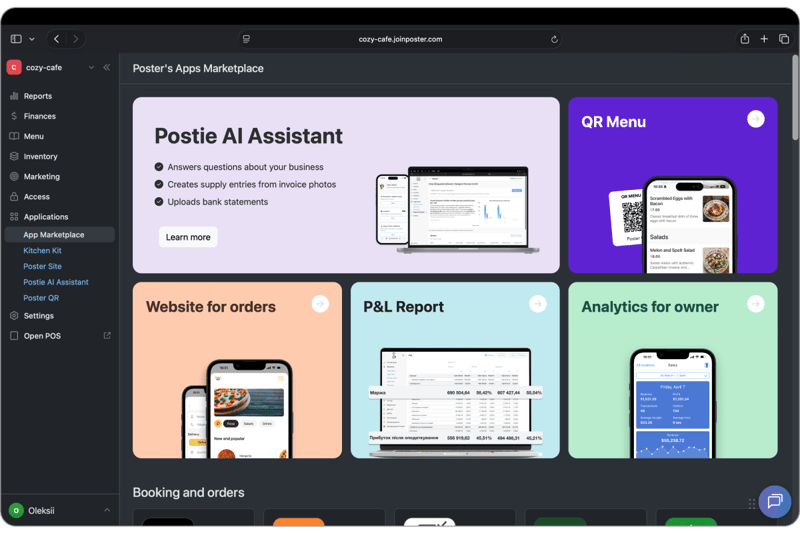
🛵 Integration with Nonbor delivery aggregator
Accept delivery orders from Nonbor directly at the Poster POS. No more manual order entry — everything works automatically.
🇺🇿 The integration is available in Poster’s Apps Marketplace for Uzbekistan users only.
19.05.2026
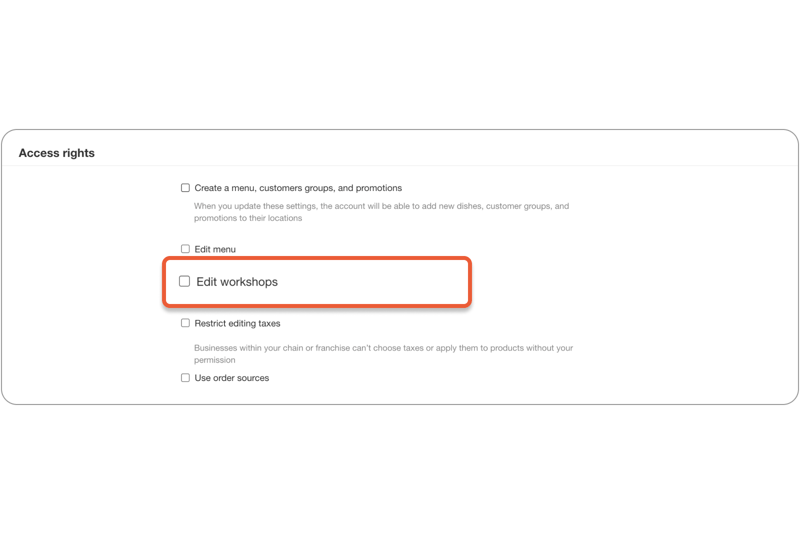
⚙️ Separate setting for editing stations in Poster Connect
Previously, in Poster Connect, access to editing stations was tied to menu editing permissions. This caused difficulties for chains where each location has its own dish preparation processes.
Now these are two independent settings. You can allow editing stations but restrict menu editing — or the other way around.
19.05.2026
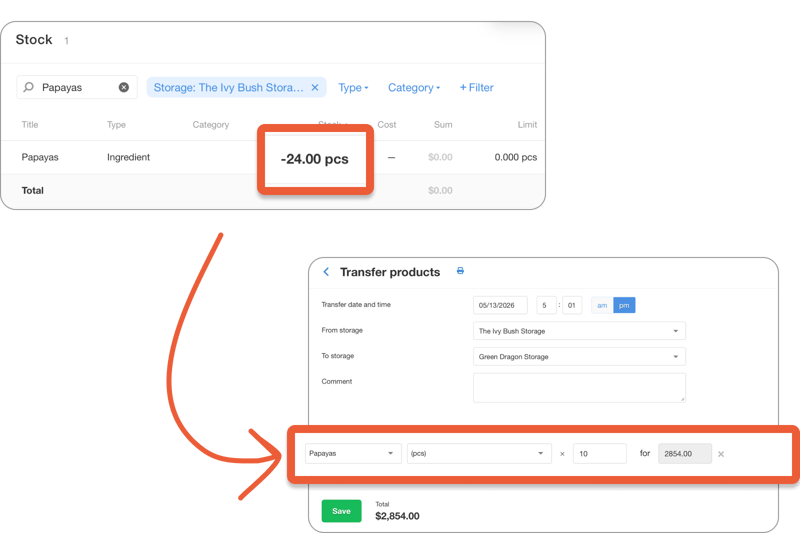
🔄 Transfers between storages with negative balances
Previously, to transfer items between storages, you first had to even out the inventory — record all missed supplies and run an inventory check. That restriction is gone: now you can transfer even items that have «gone negative».
11.05.2026
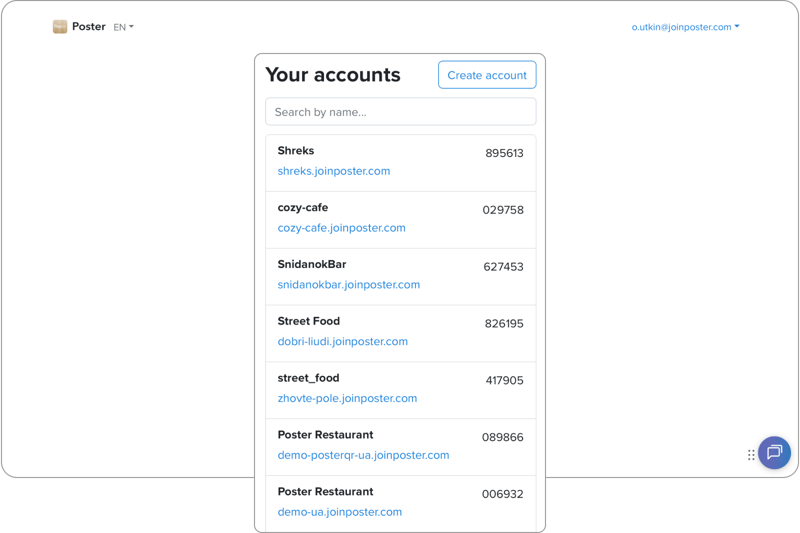
🔐 New sign-in: all your accounts in one list
Using a colleague’s computer to work in the management console? Or managing several locations and trying to remember which URL to open each time? We’ve simplified it.
The sign-in page now shows all your accounts as a list — just pick the one you need. And if you’re already signed in, click the logo in the side menu to switch to another account without signing in again.
05.05.2026
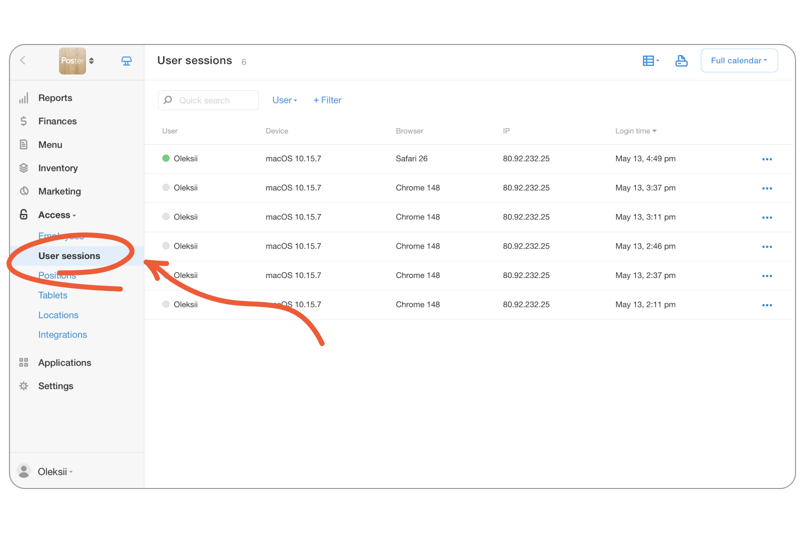
👥 Active employee sessions
In Access → User sessions you can see all active sessions in your account: who, from which device, and when signed in. Notice something suspicious — end the session with a single click.
☝️ The owner can see the sessions of all account employees and end any of them. Everyone else sees only their own.
04.05.2026
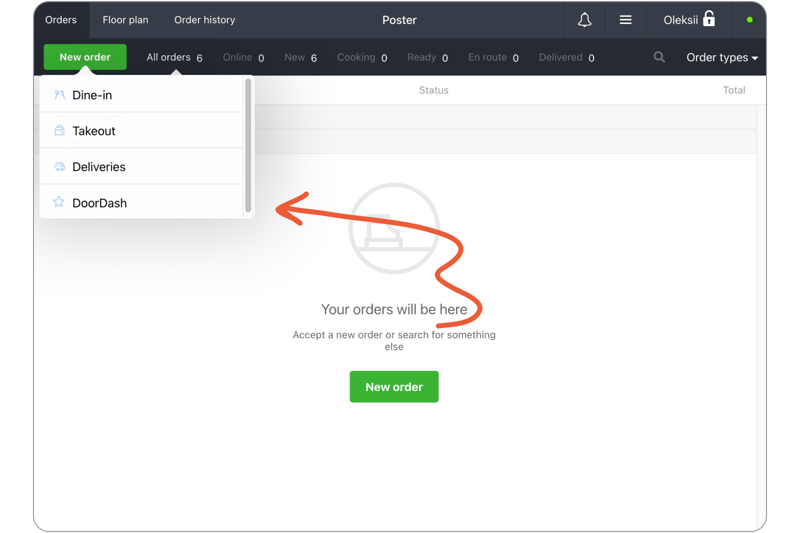
📅 Order sources are now available for all accounts
Previously, only Café-type accounts could create orders from different sources. Now this option is available to any account — a store, service business, beauty salon, or any other type of business.
Beyond detailed statistics for each sales channel, you can set a separate pickup or delivery date and time for each order — handy when customers order in advance.
29.04.2026
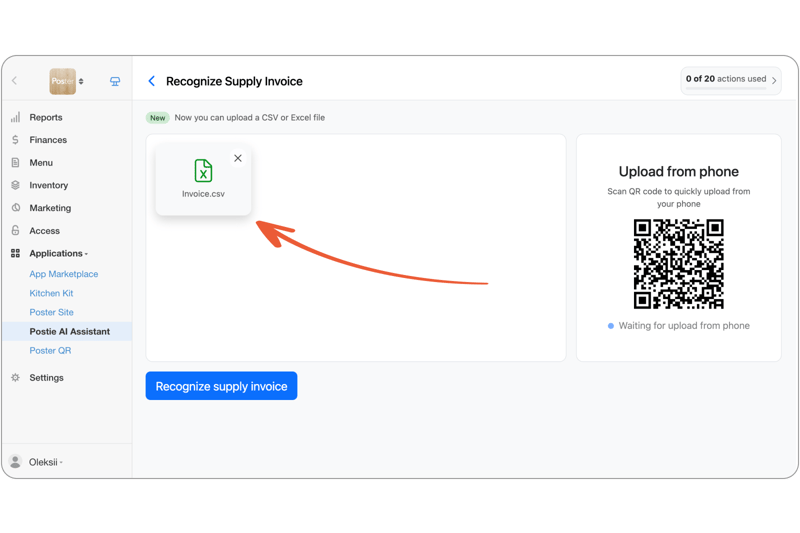
📄 Excel invoice recognition in Postie AI
Postie AI Assistant now recognizes supplies not only from photos and PDFs, but also from files in XLS, XLSX, and CSV formats — both in the management console and at the POS.
If a supplier sends a supply as a spreadsheet — just upload the file, and Postie AI will read the items, quantities, and prices itself.
☝️ You can upload one file at a time, since the whole supply is already in a single spreadsheet.
21.04.2026
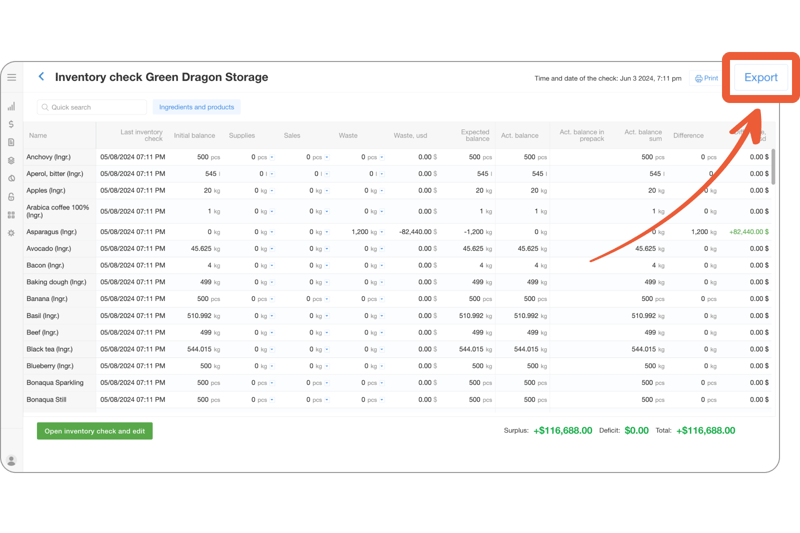
🧑💻 Export inventory checks to Excel
Need to work with an inventory check outside of Poster? Export it to XLSX in a single click — together with all of its sheets.
Works for both open and completed inventory checks.
20.04.2026
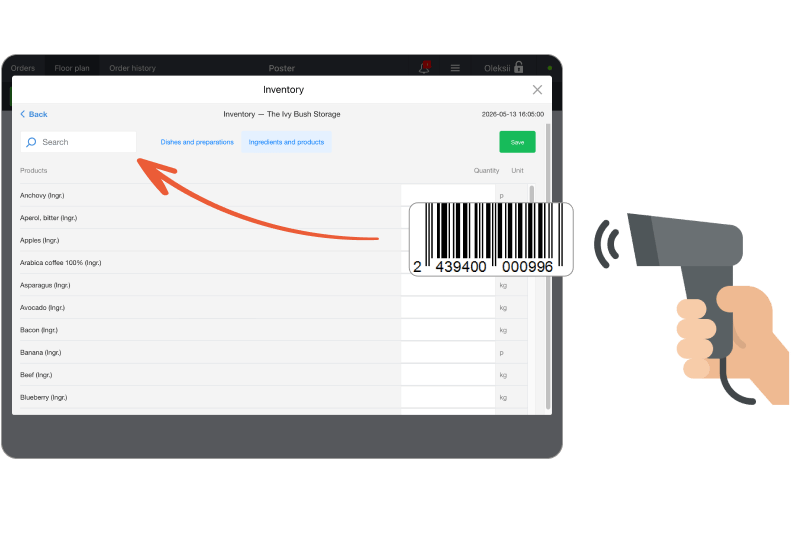
📦 Inventory check with a scanner at the POS
Now you can run an inventory check by barcodes not only in the management console, but also right at the POS.
- Scan a code in the active search field — Poster will find the product in the table.
- If no field is active — for piece ingredients, scanning adds +1 to the balance, and for weighted ones, it highlights the row and opens the input field.
20.04.2026
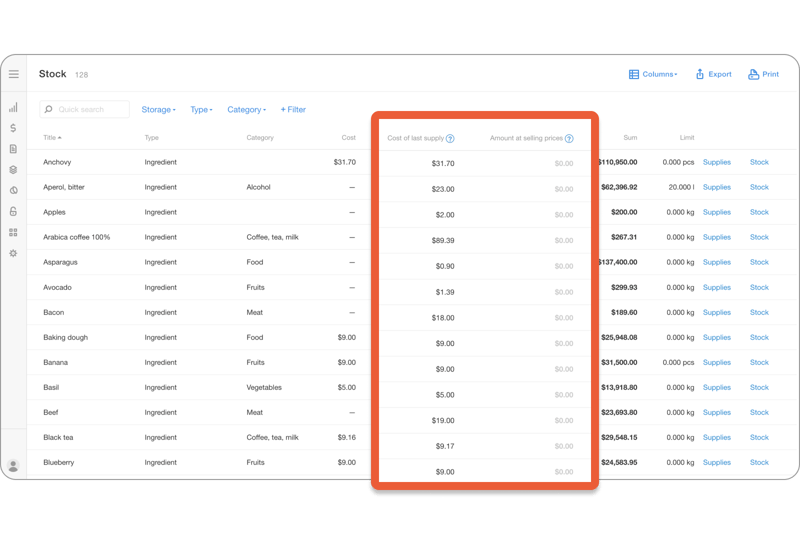
🔢 New columns in Storage → Inventory
The inventory table now contains more useful data — no extra calculations needed:
- Cost of last supply — the price at which the item was received most recently. Handy for quickly checking the current purchase price.
- Total at sale prices — the value of current inventory at menu prices.
☝️ The total is calculated for all items that have a sale price — products and produced dishes. For produced preparations it will be 0, since they can’t be sold separately.
16.04.2026
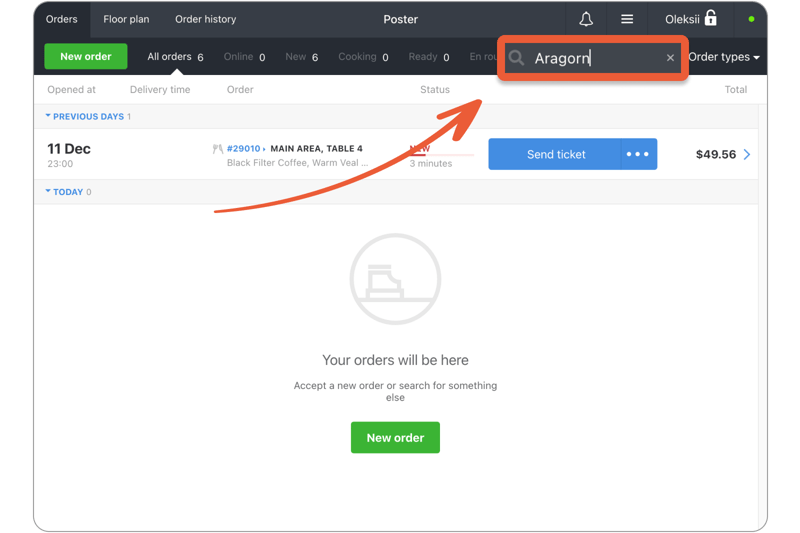
🔍 Search across orders at the POS
Finding the right order during the rush hour or while juggling deliveries is quite a quest. So we added a search field at the POS.
Search by number, comment, delivery address, customer name, or phone — a few characters are enough.
10.04.2026
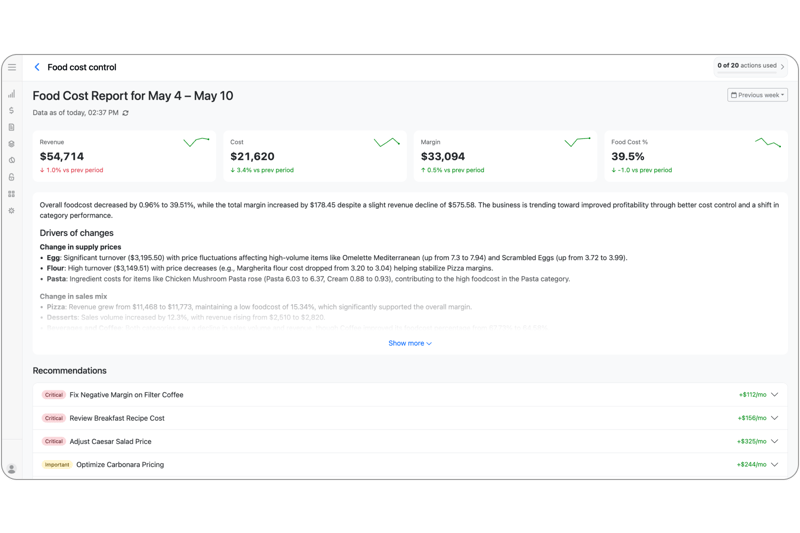
👩🌾 Food cost control in Postie AI Assistant
Purchase prices change all the time — and to avoid losing profit, you need to react quickly.
🥚 We made it simpler. In Postie AI, you can track food cost dynamics in one place, find items that drag the result down, forecast the impact of new prices, and change them — instantly or on a schedule.
🍒 During beta testing, Food сost сontrol is free.
31.03.2026
📸 Invoice recognition right at the POS
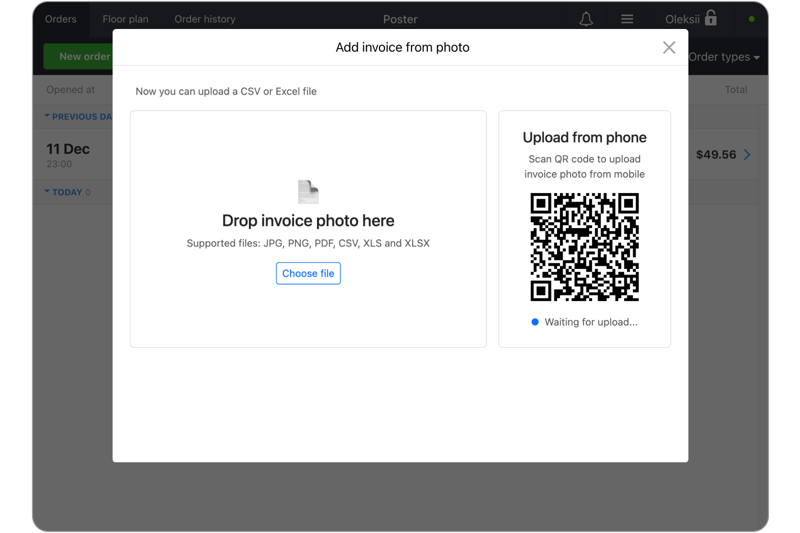
Postie AI Assistant now recognizes supplies not only in the management console, but also directly at the POS.
Tap ☰ Functions → Add supply by photo, take a photo of the invoice (or scan the QR code to capture it from your smartphone), pick the storage and the account — and save the supply.
☝️ You can add up to 2 photos at once — handy for long receipts or double-sided invoices.
20.03.2026
📦 Faster inventory checks with a barcode scanner
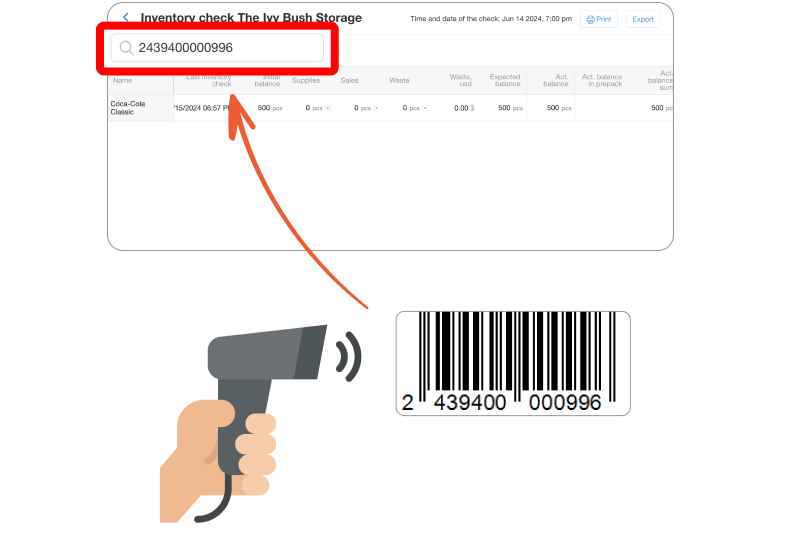
During an inventory check in the management console, you can use a barcode scanner — it speeds up finding items and entering balances.
Scan a code in the search field to find a product, or just scan the items directly: for piece ingredients, scanning adds +1, and for weighted ones, it highlights the row and opens the input field.
13.03.2026
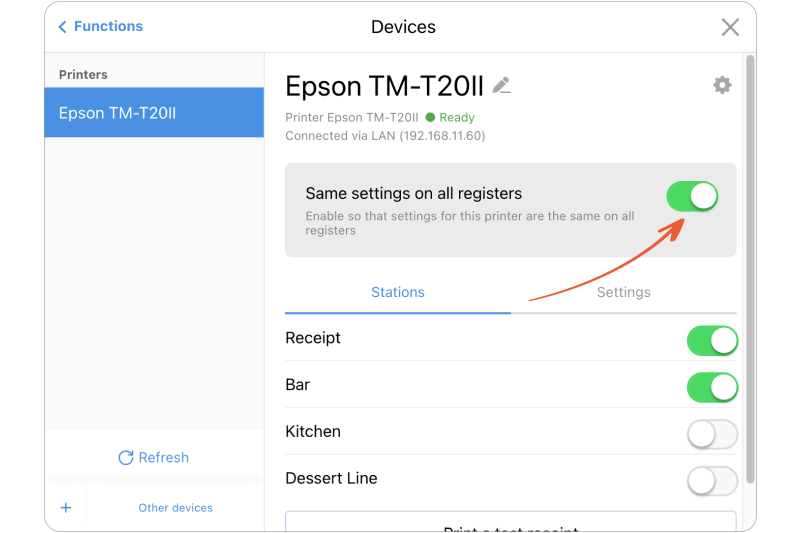
🔔 Same printer settings across all POSes
If the same printer is connected to several POSes — you no longer need to configure it separately on each one.
In ≡ Functions → Devices turn on Same settings across all POSes — workshops, printer name, paper width, and other parameters sync automatically within one location.
06.03.2026
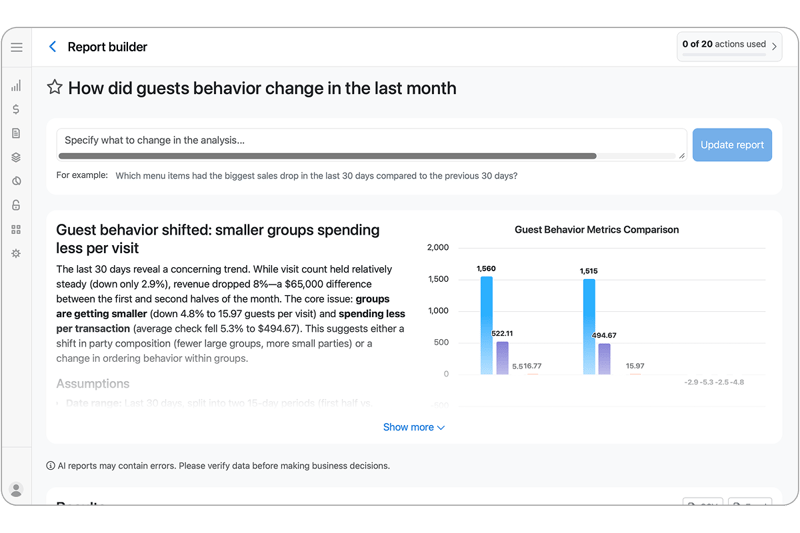
🔮 Report builder in Postie AI Assistant
Postie AI Assistant now also analyzes your location’s data.
Instead of spending hours on reports, ask: «Which ingredients went up in price the most over the past 6 months?» — and get an answer with charts, recommendations, and an Excel export. Refine the request, change the period and the columns — every version of the report is saved.
🍒 Throughout March, Postie AI analytics is free.
01.03.2026
Join 27 000+ locations,
which already use Poster
Create your account now. First 15 days free.
Start your free trial