About Exely
Connect Poster POS with Exely PMS to charge restaurant orders directly to a hotel guest’s room. Help your team handle room charges from the POS without manually re-entering order details in Exely.
Features
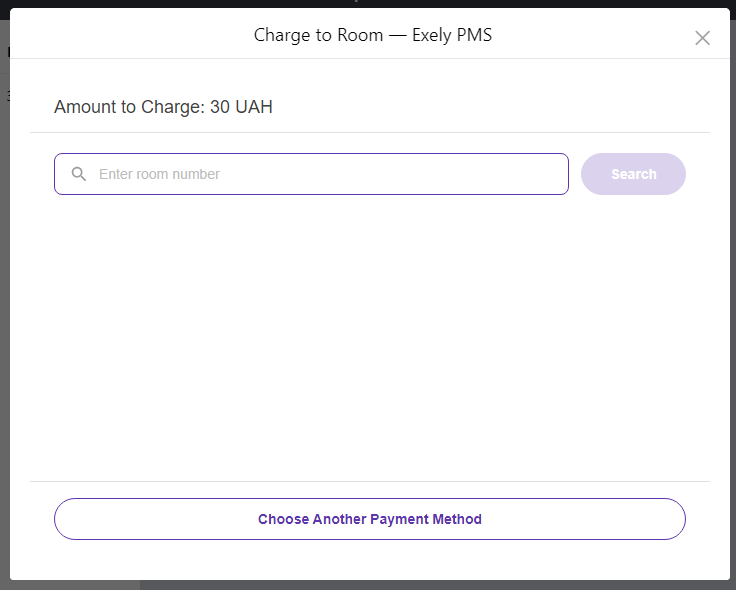
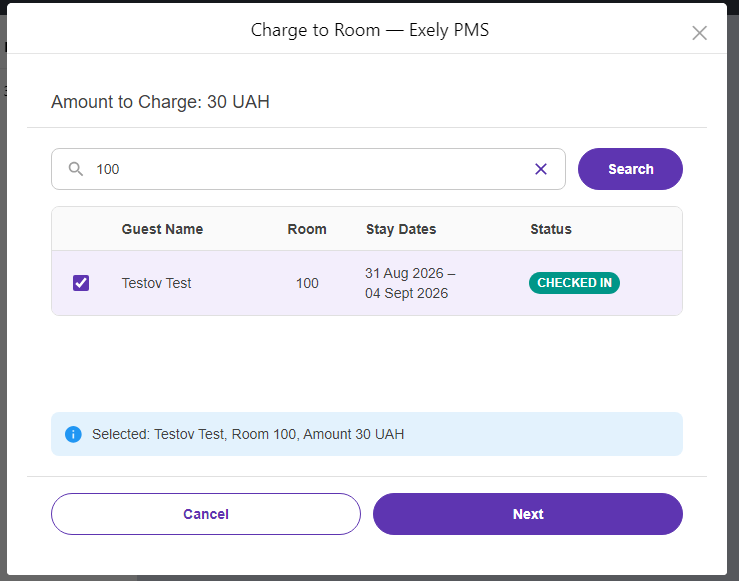
- Search by room number and select a checked-in guest.
- Review the guest and amount before confirming the charge.
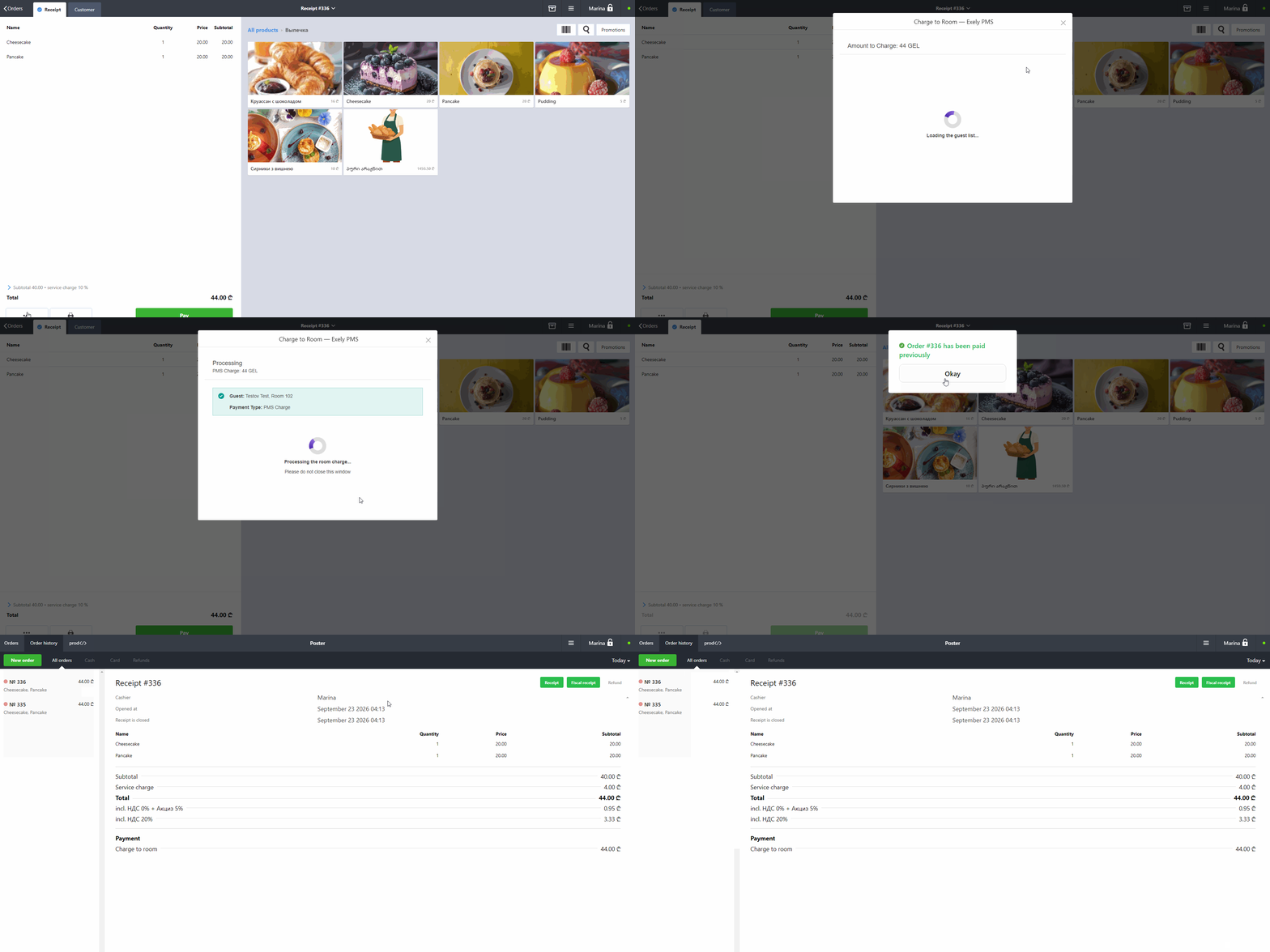
- Send order items and supported tax details to Exely.
- Close the Poster order using the dedicated “Charge to room” payment method.
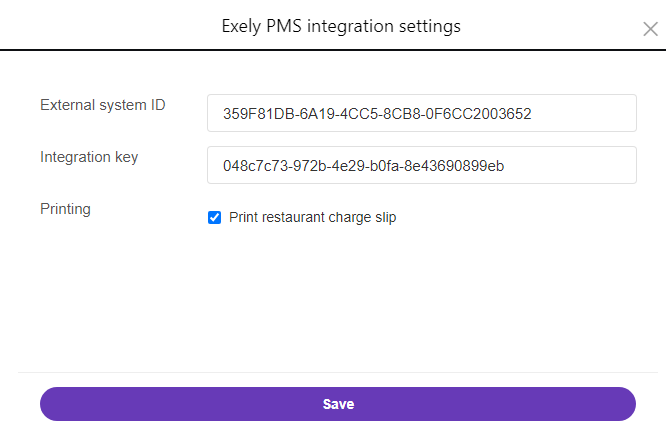
- Optionally print a restaurant charge slip.
Requirements and limitations
An Exely PMS connection with valid integration credentials is required. Configure each POS terminal separately. Room charges are available for checked-in guests, and unsupported tax configurations must be corrected before charging. Printing requires a compatible receipt printer configured in Poster.
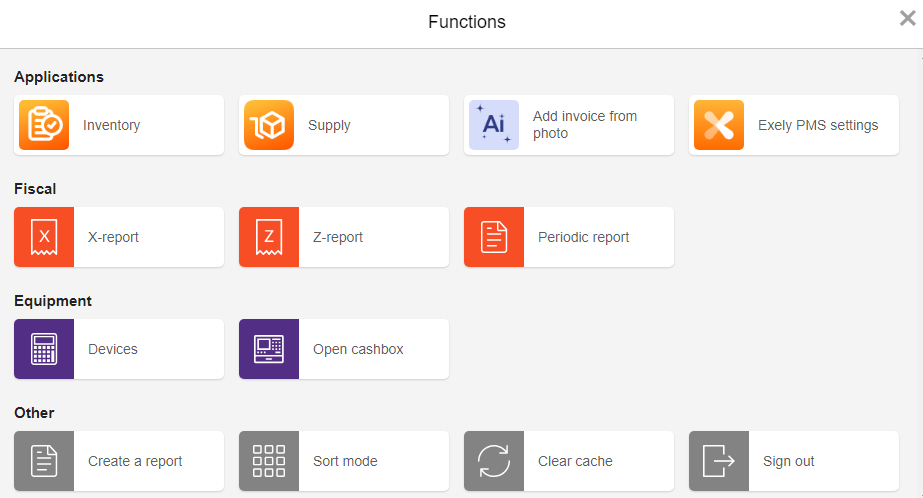
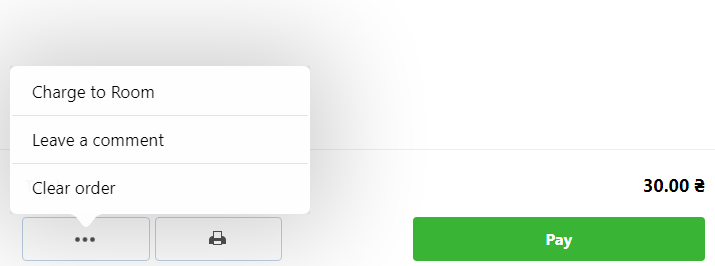
Connect the integration, open Functions → Exely PMS settings, and configure your terminal. Then open an order and select Charge to Room to get started.
About the app
- Category
- Phone
- Number of installations10+
Screenshots