About QR✓OK
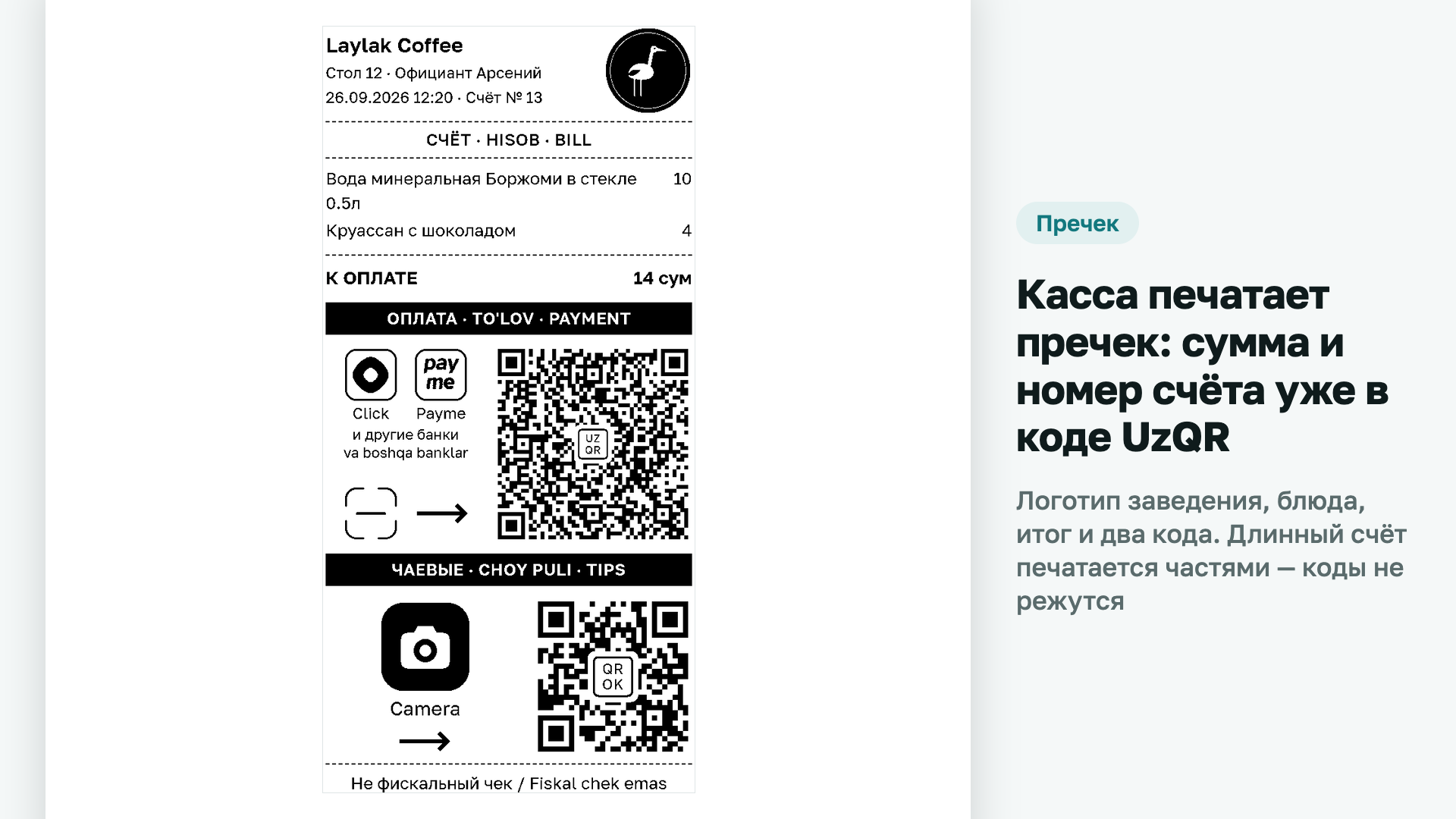
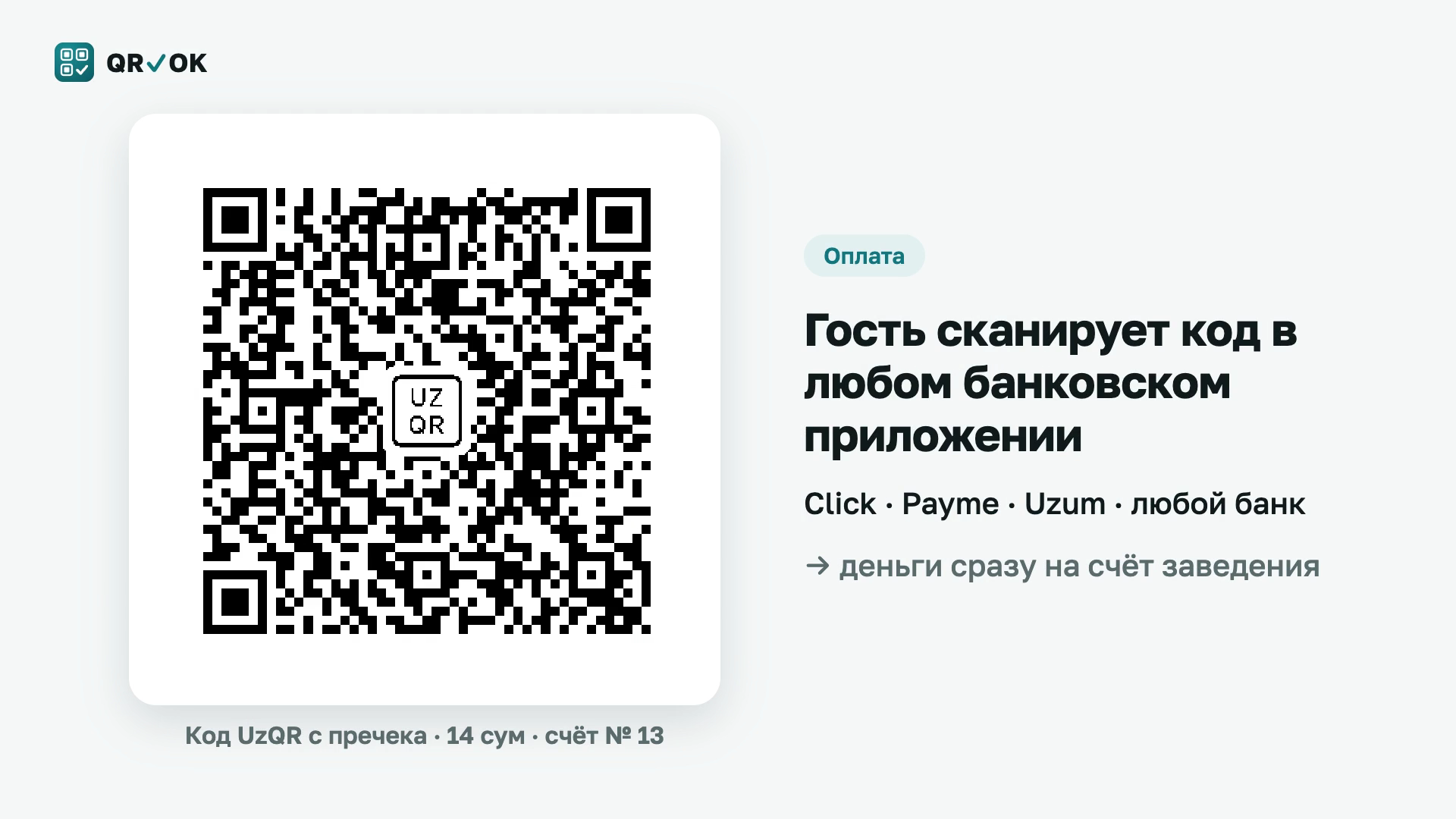
QR✓OK prints a UzQR code with the amount and the bill number on the Poster pre-bill. The guest scans it in Click, Payme, Uzum, Kapitalbank or any other banking app and pays the bill without typing the amount — the money goes straight to the venue's bank account. A second code on the same slip takes tips for the waiter, paid to their card.
What it solves
- Payment without a terminal. The guest does not wait for the waiter to bring a card terminal: bills close faster and tables turn sooner.
- No wrong amounts. The amount and the bill number are already in the code; the guest types nothing.
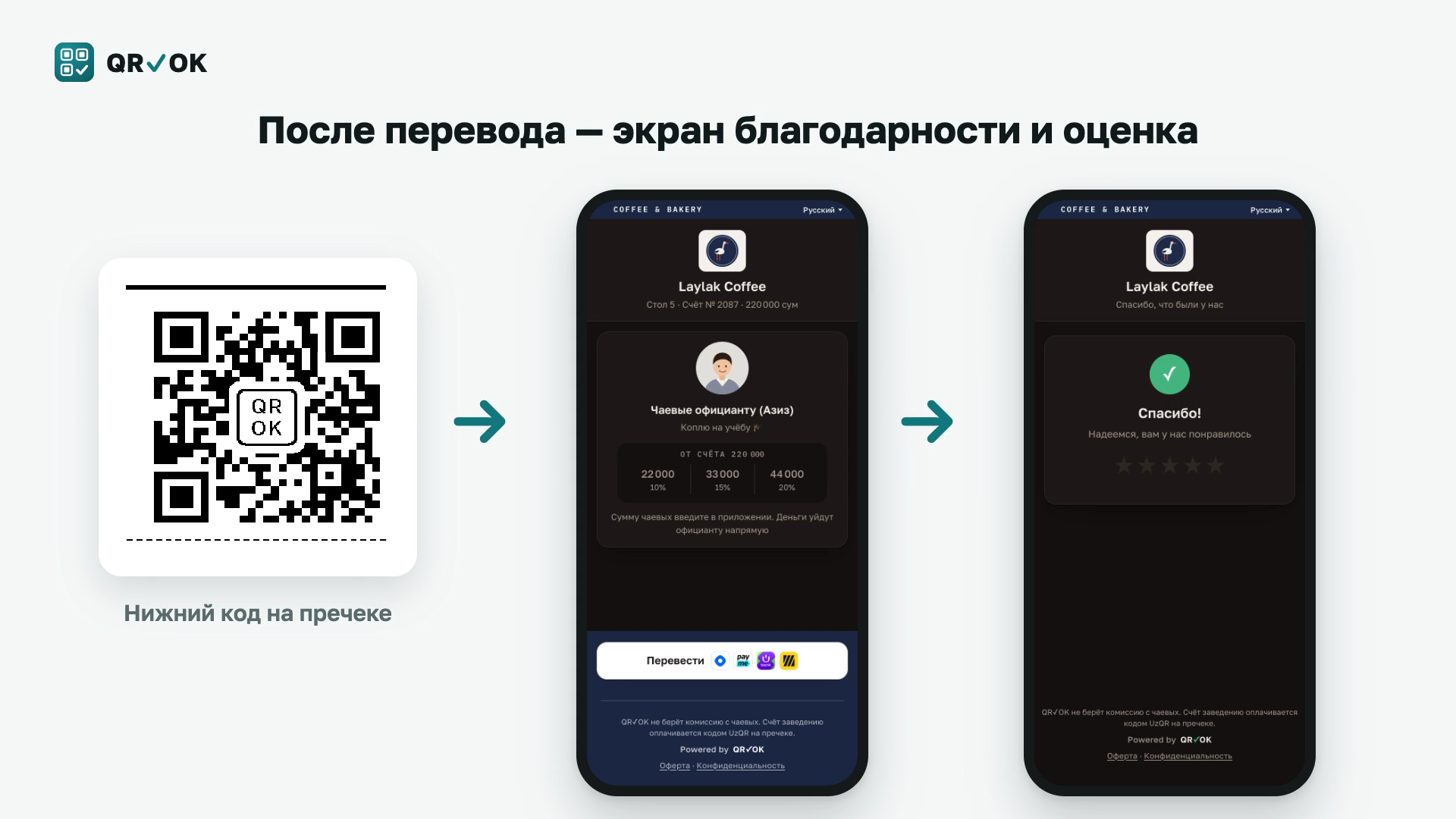
- Cashless tips. The code opens the waiter's page with a photo and a goal; the money goes to their card or Click wallet. Tips can go to each waiter or to the whole team.
- A branded pre-bill. The venue's logo, the items, the total and both codes on one slip, labelled in Russian, Uzbek and English.
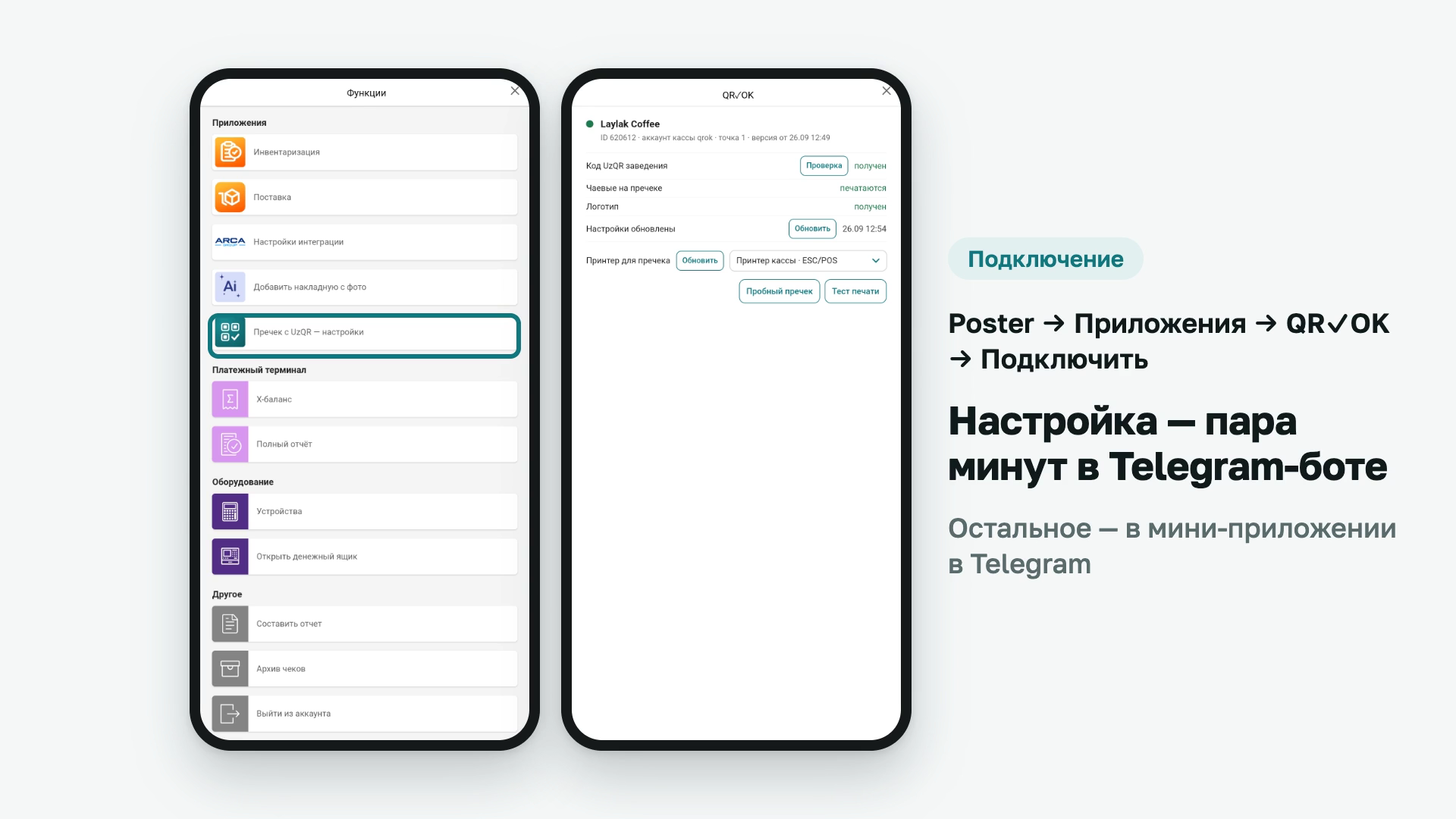
- No on-site visit. Setup takes a couple of minutes in our Telegram bot; everything else is in the QR✓OK mini app in Telegram.
- Orders from the waiter's phone. In the Telegram bot @qrokuzbot the waiter opens an order on a table (tables are grouped by hall), adds dishes from the Poster menu with modifiers and comments and changes quantities — the order is created in Poster under that waiter. On request from the phone, the register with QR✓OK prints the kitchen ticket and the pre-bill with UzQR. Items already sent to the kitchen can't be reduced from the phone; today's closed orders (own or all) are visible too. The manager turns this on per venue and per waiter.
How it works
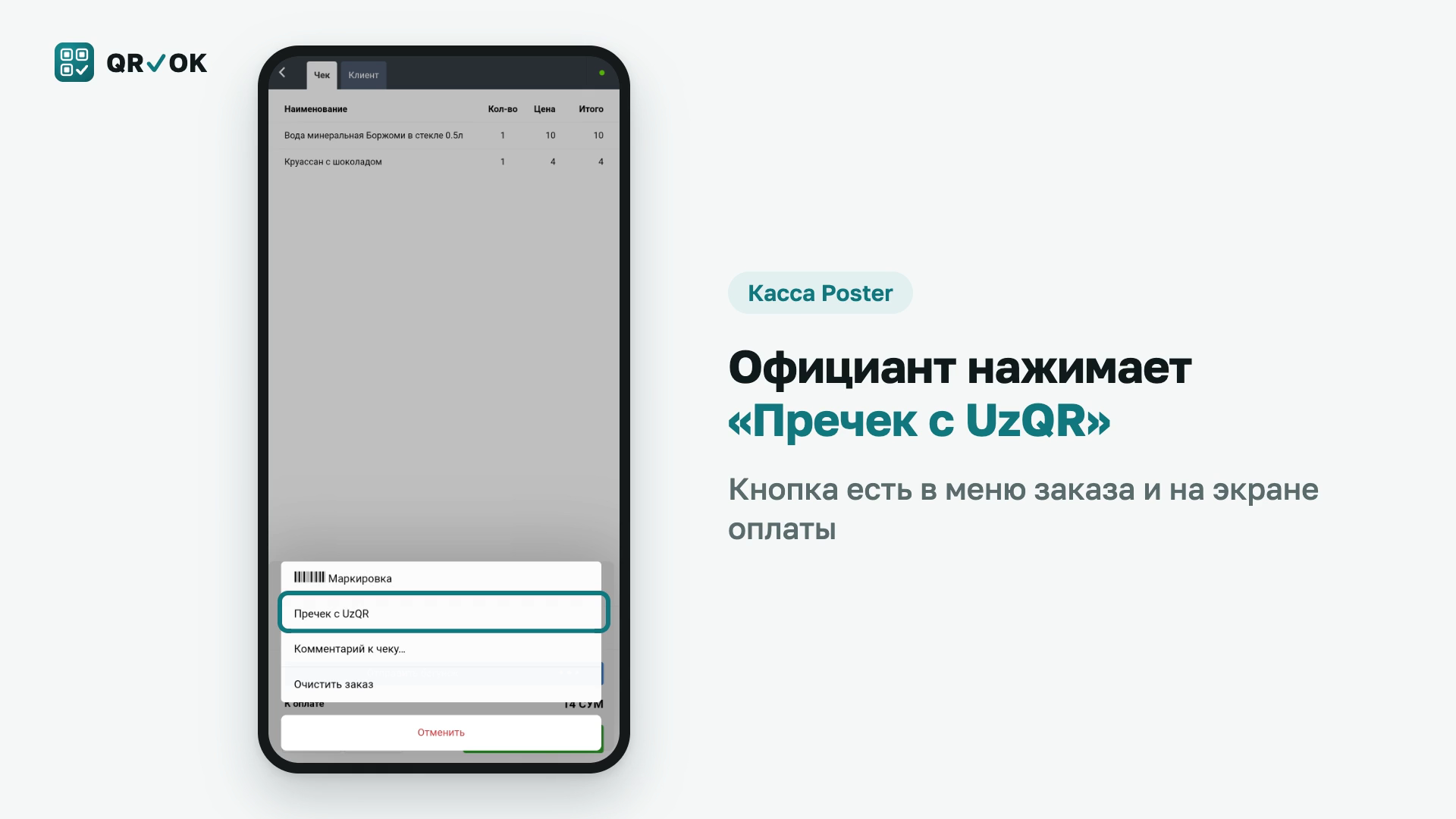
A «Пречек с UzQR» button appears in the order and on the payment screen. The waiter prints the pre-bill, the guest pays by the code, and the money goes directly to the venue's bank: QR✓OK never holds anyone's money and takes no percentage of turnover. A long bill prints in several parts, and the codes are never cut.
See what the guest sees — the pre-bill and the tips page: qrok.uz/en/demo/
What you need
- A venue in Uzbekistan with UzQR enabled. The venue's bank enables it free of charge: qrok.uz/uzqr/how-to-get/
- A Poster register on Windows or Android with a receipt printer. On the web register the pre-bill opens in the browser's print dialog.
Price
Plans: «UzQR» — free, UzQR with the amount on the pre-bill. «Tips+» — 100,000 UZS a month per venue plus 20,000 UZS per working waiter: UzQR and waiters' tips pages. «Poster+» — 100,000 UZS per venue, 80,000 UZS per waiter with a smartphone and 20,000 UZS per other working waiter: everything in Tips+ plus orders from the waiter's phone. Full terms — qrok.uz/en/offer. Free until the end of the month of your first pre-bill and for the whole next month. No percentage of turnover, no commission on tips.
About the app
- Category
- Website
- Phone
- E-mail
- Number of installations10+
Screenshots