About Courier Bot
Courier Bot is an integration with Poster that sends orders directly to couriers via Telegram and allows you to track their location on a map in real time.
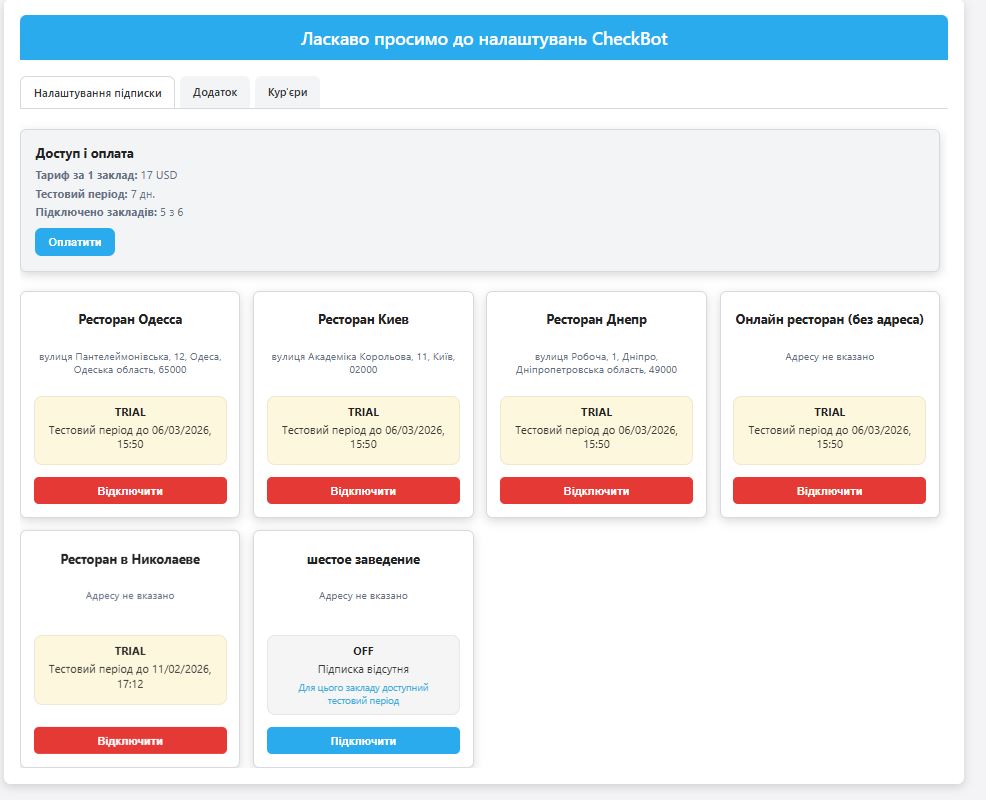
First 7 days — free.
✧ Telegram instead of paper receipts
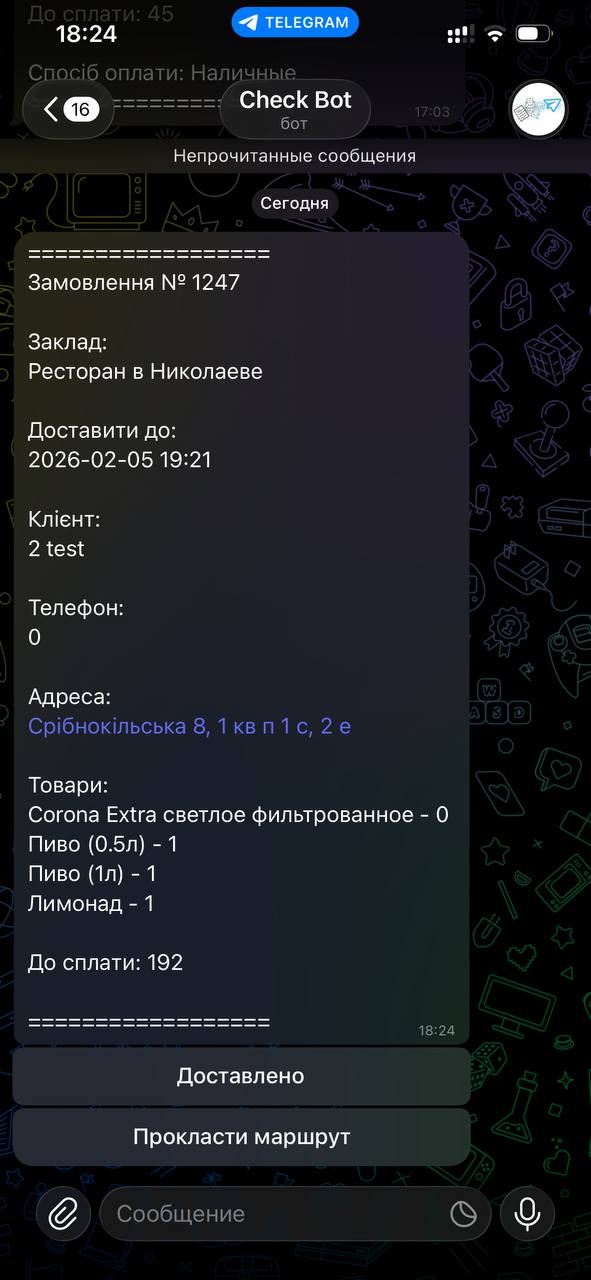
The receipt is automatically sent to the courier via Telegram.
Address, phone number, and order details — all in one message.
✧ Fast onboarding for couriers
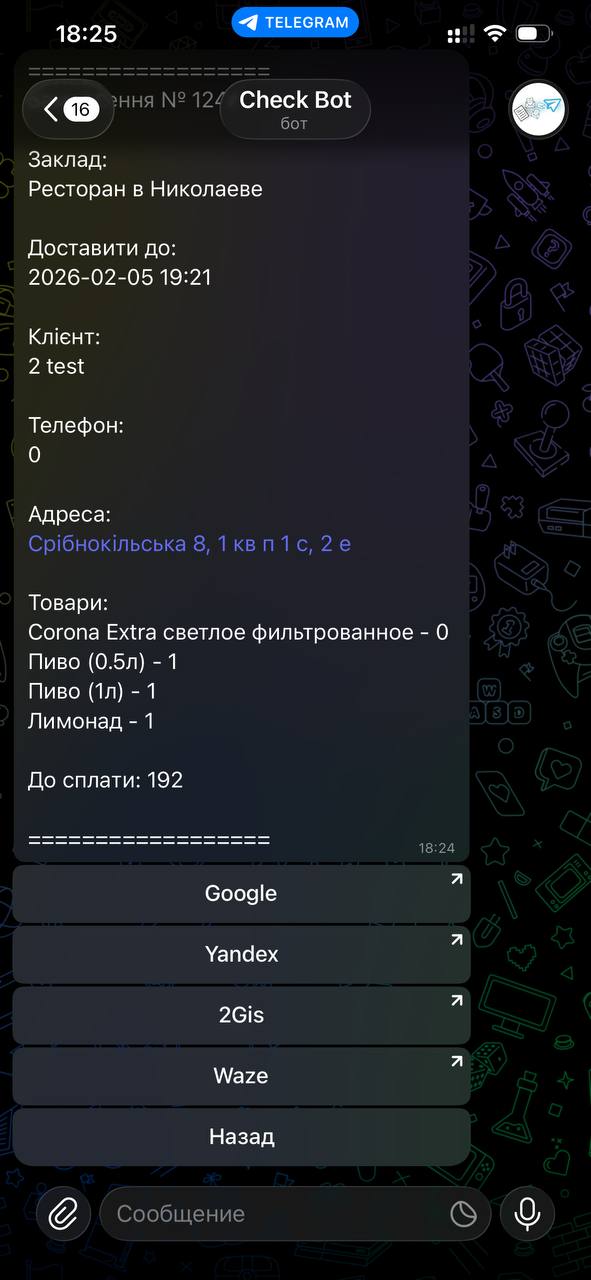
Tap the address — the route opens.
Tap the phone number — call the customer instantly.
No additional apps or manual data entry required.
✧ Courier tracking on the map
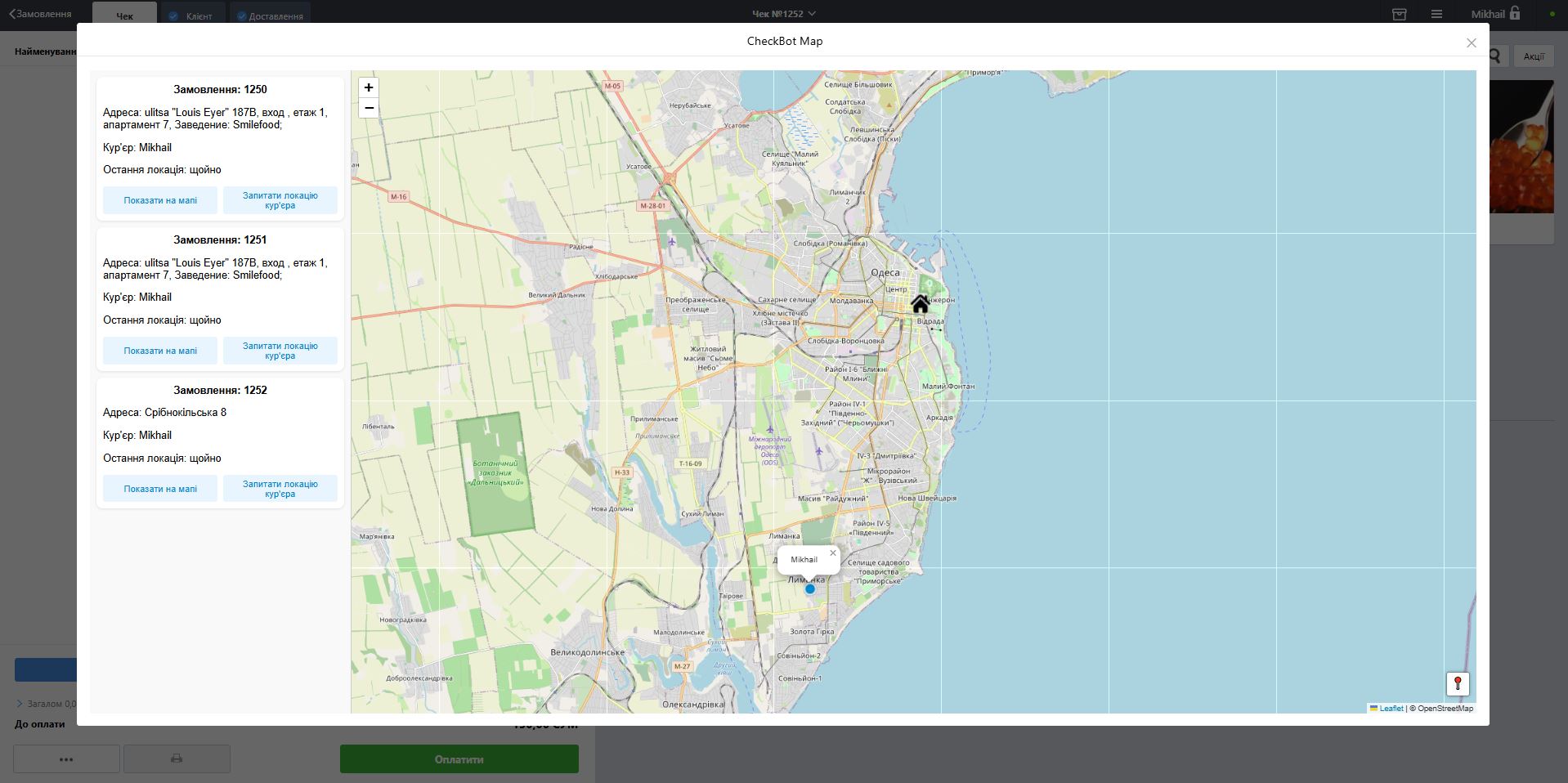
The operator sees all orders with the “On the way” status and the couriers’ current locations.
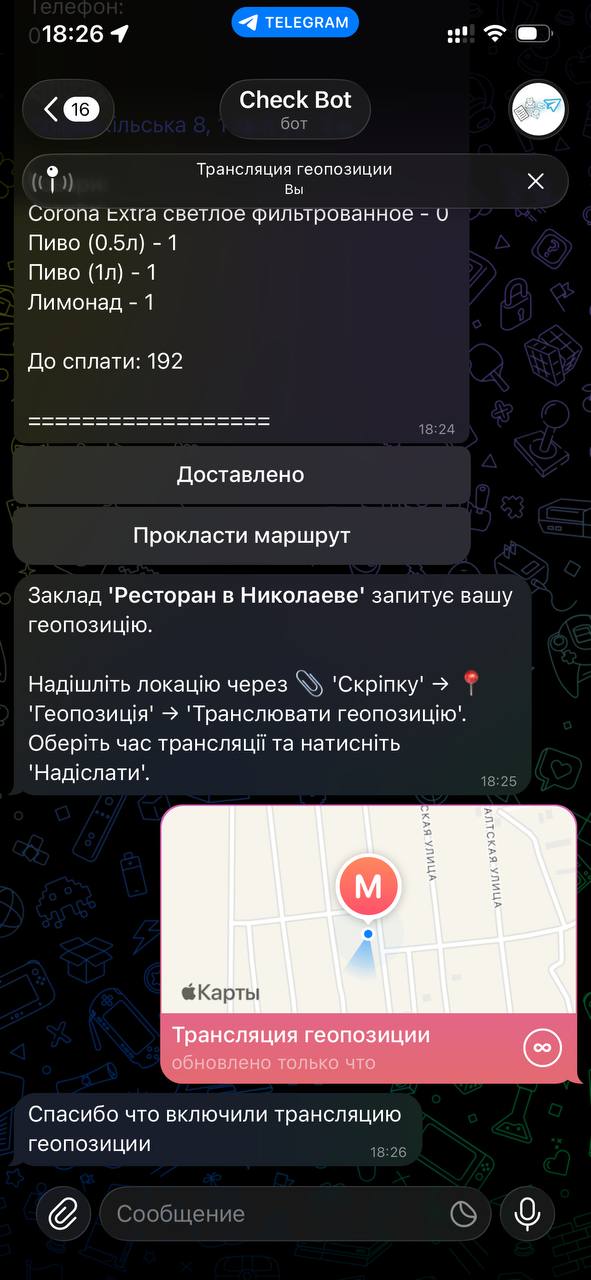
Geolocation is shared on demand, only when it’s really needed.
✧ Flexible settings
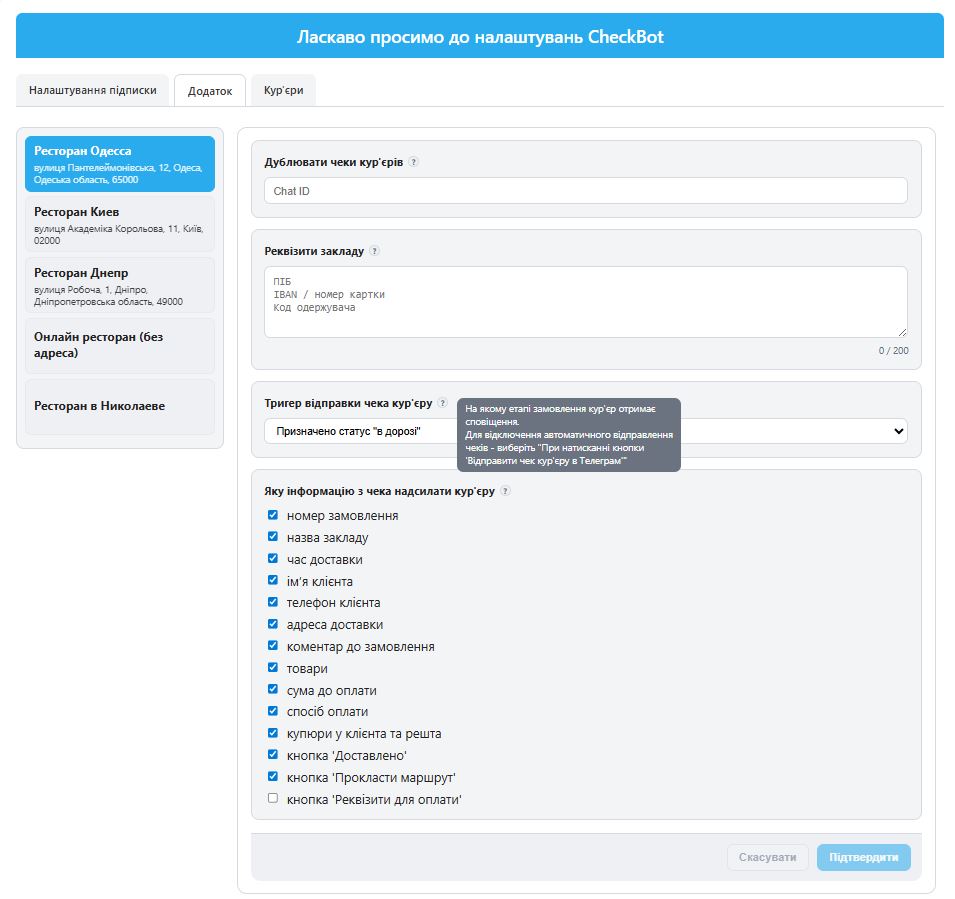
– Choose what order information is sent to the courier in Telegram
– Select when the receipt is sent (automatically or manually)
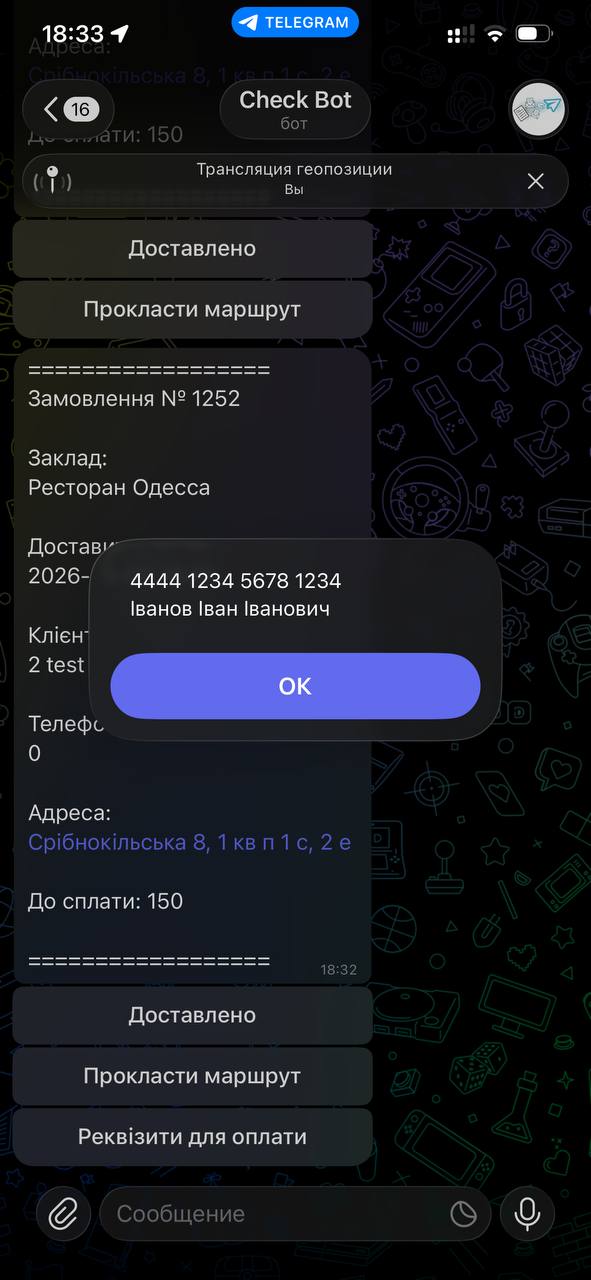
– Provide couriers with quick access to venue payment details in Telegram
– Duplicate all courier receipts to a separate chat or group for monitoring
✧ Less chaos — more control
Operators don’t need to call or message couriers.
New orders appear in Telegram instantly — everything works automatically.
✧ Simple and fair pricing
You pay only for the number of venues, not for couriers or orders.
The number of couriers is unlimited.
Can I test the app?
Yes, the first 7 days are free.
Do I need to pay for each courier?
No. Pricing depends only on the number of connected venues.
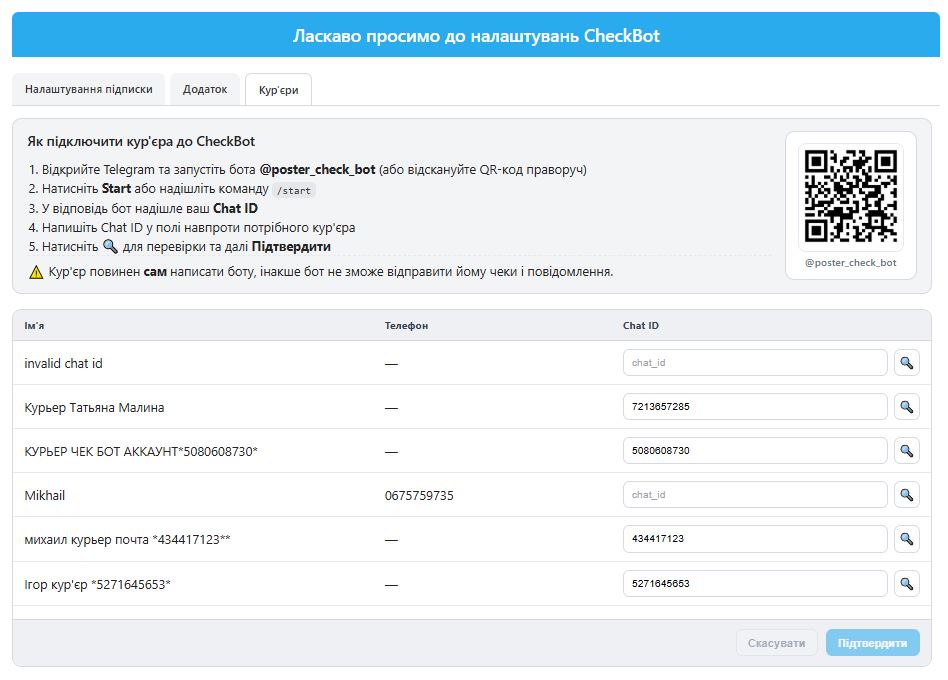
What if a courier doesn’t receive receipts in Telegram?
– The courier must open @poster_check_bot and press /start.
– The bot will send a Telegram ID.
– Enter this ID in the courier’s card: Poster Admin Panel → Apps → Courier Bot → “Couriers” tab.
After that, receipts will be delivered automatically.
How can I see where the courier is?
– In the Poster POS terminal, click the three-line menu in the top-right corner.
– Select CheckBot Map.
– You will see all “On the way” orders and the map.
– Select an order and click “Request geolocation”.
– The courier will receive a notification and start location sharing.
It’s enough to enable location sharing once — after that, the courier will be shown on the map automatically.
Price: from 500 UAH / month
Support: +38 067 57 59 735
Telegram: @CheckBotSupport
About the app
- Category
- Website
- Phone
- E-mail
- Number of installations100+
Screenshots